Skip to content

Meeting room booking software for coworking

A meeting room in two taps.

Members see which rooms are free and book from their phone. Included hours are counted, clashes are refused, and your team sees every room on one board.

app.rivonos.com
Finding a room on a phone: rooms with capacity, equipment and free times for 12 pm

Why room bookings go wrong

  • Double bookings

    Two messages in a WhatsApp group, one meeting room, and two teams at the door at 3 pm.

  • Included hours nobody tracks

    Members' meeting-room hours live in a spreadsheet, so overuse goes unbilled and underuse goes unnoticed.

  • The front desk as a booking line

    Every “is Orion free at 3?” is a call or a message the team has to answer.

How it works

Real rivonOS screens. The data is illustrative.

Step 1 · The member

See what's free, right now.

Members choose the day, the time, how long and how many people. They see every room that's free, how many it fits and what's in it.
  • Free and busy times for the day at a glance
  • Rooms, phone booths and other spaces
app.rivonos.com
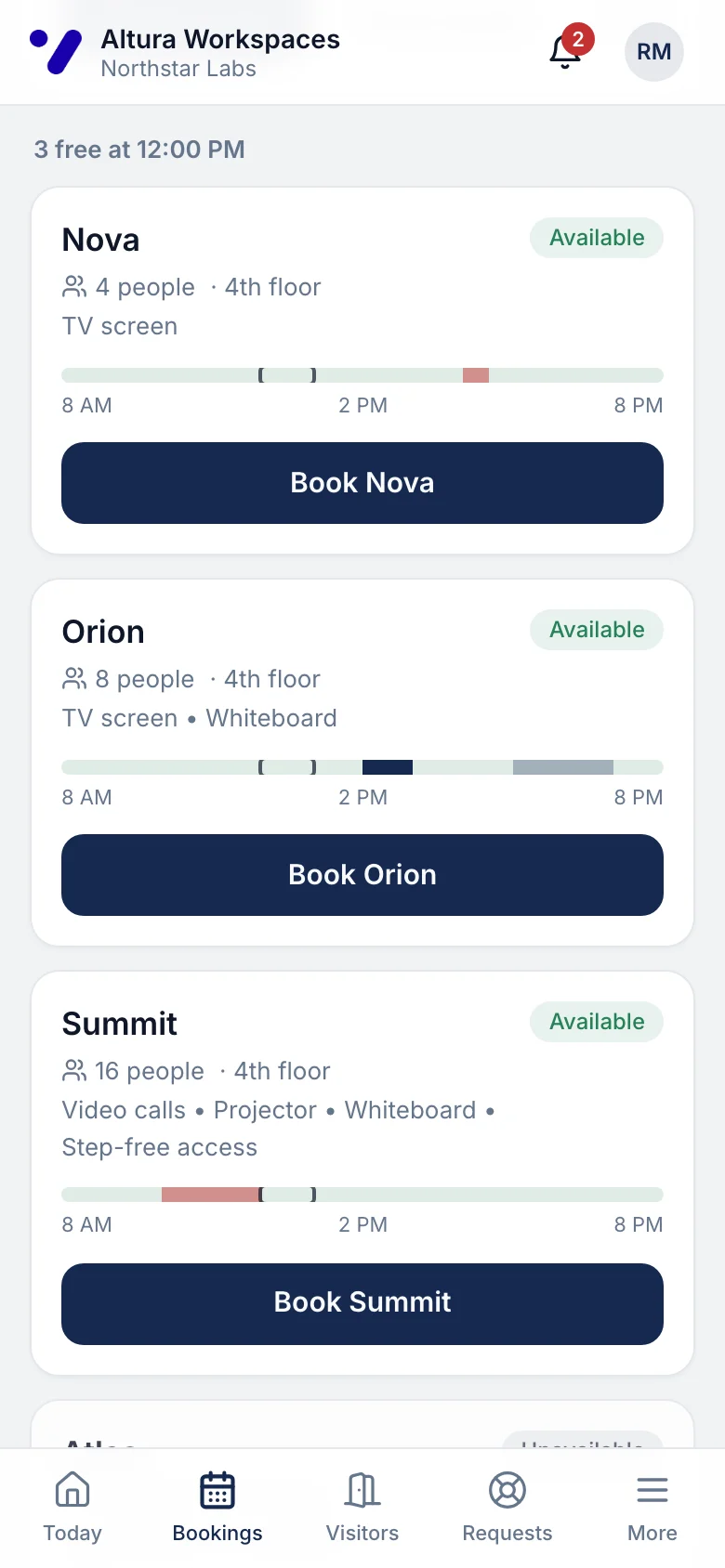
Finding a room on a phone: rooms with capacity, equipment and free times for 12 pm

Step 2 · Booking

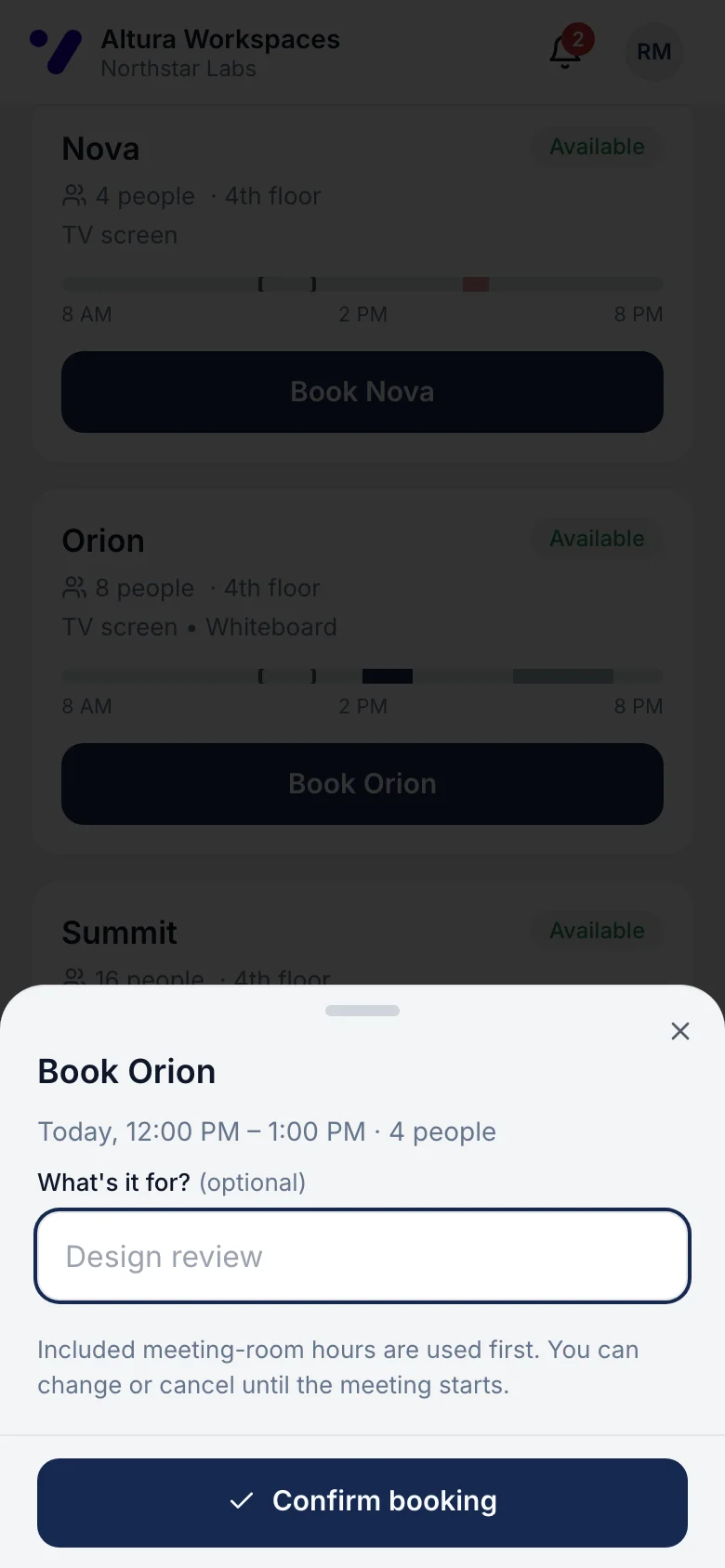
Pick a room, add a title, book.

The booking is confirmed straight away. Included meeting-room hours are used first, and the member can change the time or cancel until the meeting starts.
  • Clashes refused, even when two people tap at once
  • Included hours counted automatically
app.rivonos.com
Confirming a room booking on a phone

Step 3 · The centre team

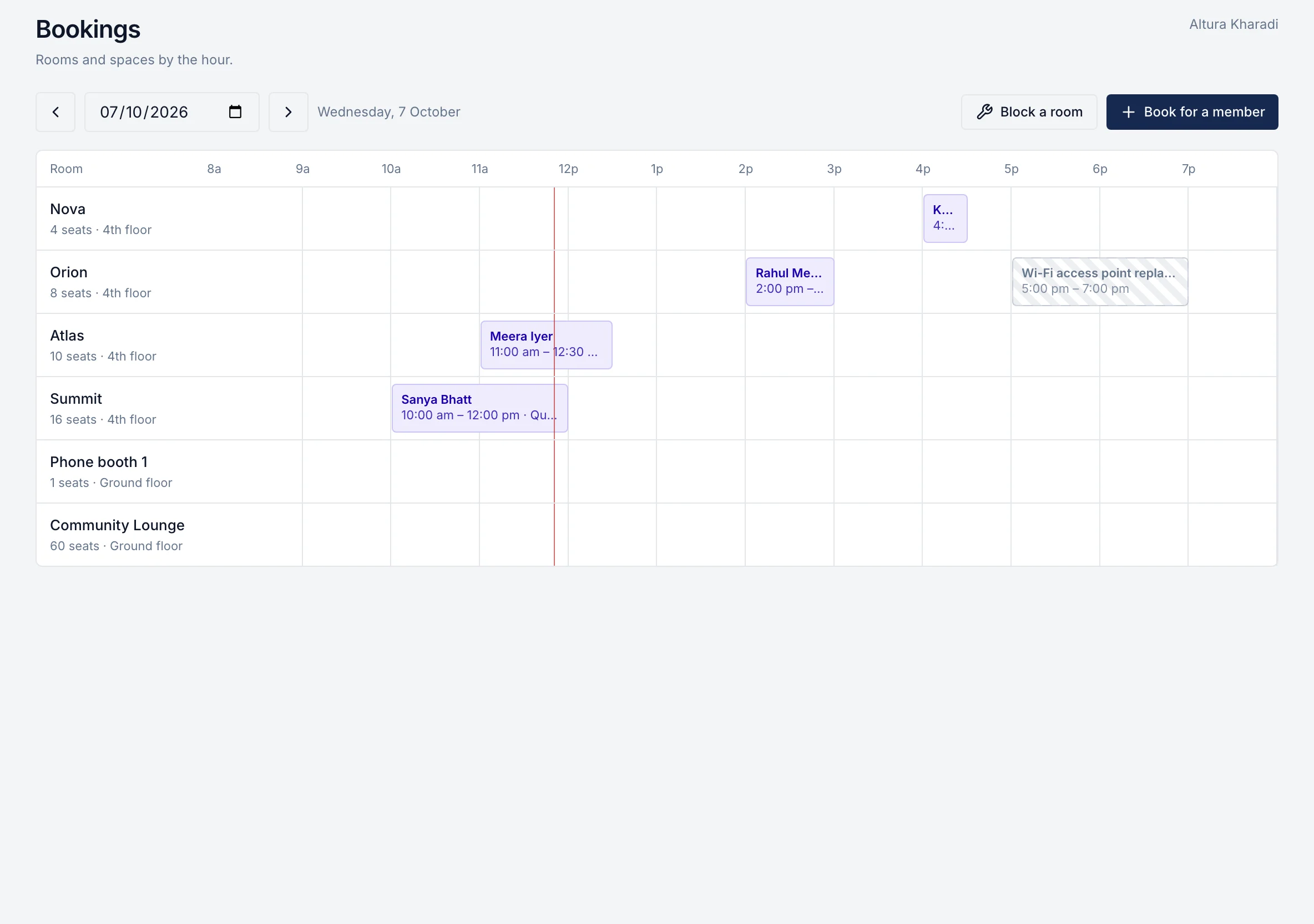
Every room, hour by hour.

The room board shows every booking and block for the day. The team can book on a member's behalf, move a booking, cancel it or block a room for maintenance, and members are told when something changes.
  • Opening hours, slot sizes and capacity per room
  • Maintenance blocks keep rooms out of bookings
Room board: every room by the hour with bookings and a maintenance block

What's included

Meeting-room hours can also be part of each membership, set up with the rest of your member benefits.

Member benefits and credits
  • Members book from any phone browser: no app to download
  • Choose the day, time, length and number of people, and see which rooms are free
  • Each room shows how many people it fits and what's in it
  • Rooms, phone booths and other bookable spaces work the same way
  • Change the time or cancel until the meeting starts
  • Included meeting-room hours (member benefits) are used first; anything beyond is recorded
  • Clashes are refused, never overwritten, even when two people book at once
  • Opening hours, slot sizes and capacity set per room
  • The team's room board: book on a member's behalf, move, cancel, or block a room for maintenance
  • Members are told when the team changes their booking

Room booking is part of the member app and community pack, priced per centre per month alongside visitors, requests, benefits and events. See pricing.

Questions about meeting room booking

How do members book a meeting room?
In the rivonOS member app, in any phone or laptop browser. They pick the day, time, length and number of people, see which rooms are free with their capacity and equipment, and book in two taps.
Can you prevent double bookings?
Yes. A room can't be booked twice for the same time; the second request is refused, even when two people tap at the same moment.
How are meeting-room credits or included hours handled?
Meeting-room hours can be set up as a member benefit with a monthly allowance per member or company. Bookings use the included hours first, and anything beyond the allowance is recorded. Adding that overage to invoices automatically is planned, not live yet.
Can the centre team book for a member?
Yes. The room board shows every room hour by hour; the team can book on a member's behalf, move a booking to another room or time, cancel it, or block a room for maintenance.
Does it sync with Google Calendar or Outlook, or take payments?
Coming soon. Calendar sync, booking reminders and online payment for bookings are in development. Today, bookings live in rivonOS and members are told when a booking changes.

See room bookings at your centre in rivonOS.

One hour with the people who built it, using your own centres. If rivonOS isn't the right fit, we'll tell you.