Community manager daily checklist for coworking

The short answer
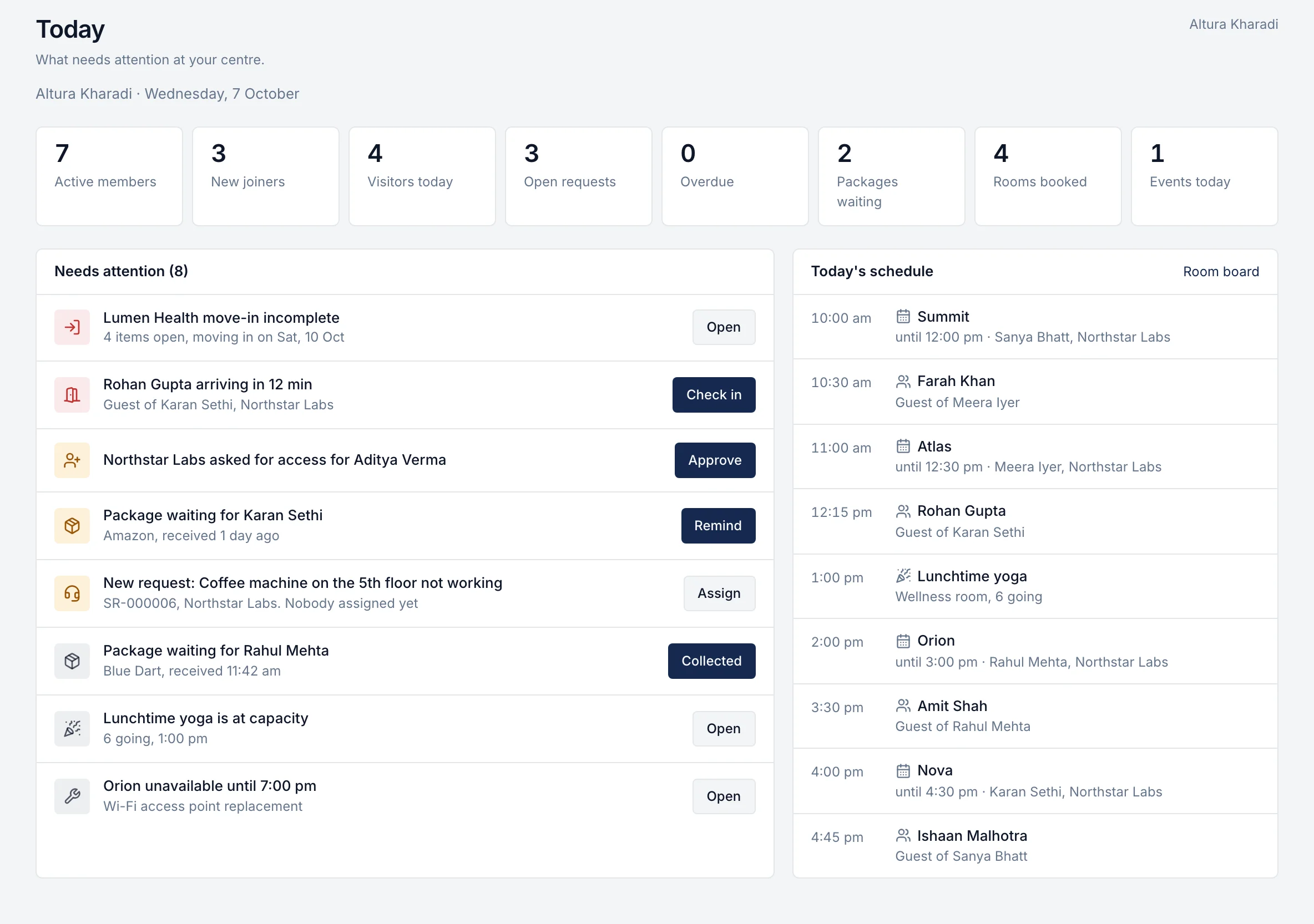
A good day at a coworking centre starts before the first member arrives and ends with nothing left for tomorrow by surprise. Open with a walk of the floor, check today's guests, bookings, requests and parcels, and post any notices. Through the day, check guests in, keep requests moving within their deadlines and hand over parcels. Before closing, clear what is overdue, set up tomorrow's rooms and note anything sales or finance needs to know. The lists below are written to print or copy, and the centre operations checklist tool linked below lets you tick them off online.
Who this checklist is for
This checklist is for community managers, centre managers and front-desk teams at coworking and managed office centres. Use it as it is, or as a starting point for your own centre's standard. If you run several centres, give every centre the same version so members get the same service wherever they work.
Adjust the timings to your centre's hours.
Before members arrive
Walk the floor
- Lights, air conditioning and power on in open areas, cabins and meeting rooms.
- Wi-Fi working in every zone, including meeting rooms. Test one device on each floor.
- Meeting rooms set up: screens on, cables present, whiteboards clean, chairs in place.
- Pantry stocked: water, tea, coffee, cups.
- Washrooms checked and stocked.
- Reception area clean, with visitor and parcel areas clear.
Check today
- Guests expected today, with their host and arrival time.
- Room bookings for the day, and any clashes or rooms blocked for maintenance.
- Service requests that are open, due today or overdue.
- Parcels waiting to be collected.
- Move-ins or move-outs scheduled for today, and whether their checklists are complete.
- Events today: room, set-up, attendee list.
Tell members what they need to know
- Post any notice for the day: a fire drill, a water shutdown, a visitor from the landlord, a pantry change.
- Remind hosts of guests arriving early in the day.
Through the day
- Guests. Check guests in when they arrive and let the host know straight away. Handle walk-in guests the same way: name, company and host, recorded before they go in.
- Service requests. Acknowledge new requests quickly, assign each one to an owner, and update the member when something changes. Close each request only when the member's problem is fixed.
- Parcels. Log each parcel when it arrives, tell the member, and record who collected it.
- Room bookings. Help members find a room, move bookings when a room is out of use, and free up rooms booked by people who did not turn up, if your rules allow it.
- Members. Welcome new joiners on their first day. Spend a few minutes on the floor, not only behind the desk: many problems are reported in person, not in a ticket.
- Events. Set up, check in attendees and clear the room afterwards.
Before you close
- Every request due today is closed or has a new, agreed date and the member knows.
- Guests checked out, and any still in the building accounted for.
- Parcels not collected: remind the members.
- Tomorrow's room bookings and guests checked; rooms reset for early meetings.
- Pantry and meeting rooms tidied.
- Open areas, cabins and doors secured as your centre's closing routine requires.
- A short handover note for the next shift or the next morning: anything unresolved, anyone unhappy, anything the building team must fix.
Every week
- Review requests by category: what keeps coming back, and what took longest to fix?
- Check member ratings on closed requests and follow up on low ones.
- Walk the centre with the building or facilities team and log repairs.
- Check stock of consumables and order before you run out.
- Plan next week's events and announcements.
- Review move-ins and move-outs for the next two weeks against their checklists.
- Clean up member records: leavers removed, new joiners approved.
What to hand to sales and finance
Community managers often hear things first. Pass these on the same day, in writing:
- To sales: a client asking for more seats, a cabin or another centre; a company whose team is growing; a client unhappy enough to mention leaving.
- To finance: seats added or given back, so billing changes from the right date; a client asking about an invoice or a PO; a move-out date that has been agreed.
- To leadership: a service problem that keeps repeating, or a complaint that needs a decision.
A seat change that never reaches finance is one of the commonest ways revenue is lost. See where flex revenue leaks.
Mistakes to avoid
- Keeping the day's information in personal WhatsApp chats that nobody else can see.
- Closing a request because work was started, not because the problem was fixed.
- Letting guests wait at reception while someone looks for the host.
- Skipping the handover note on busy days, which is when it matters most.
- Running a different routine at each centre, so members get different service in different places.
Running the checklist in rivonOS
rivonOS does not control doors or print visitor badges. See community operations and the page for community managers. To see a day at your own centre in rivonOS, book a walkthrough for your centre.
Questions community managers ask
What does a coworking community manager do every day?
Open the centre and check it is ready, look after guests, room bookings, member requests and parcels through the day, run events, keep members informed, and close the day with a handover. They are also the first to hear about growth, problems and moves, which sales and finance need to know.
How many requests should a community manager handle?
It depends on the size of the centre, the building and how much of the work members can do themselves. Track requests per week and how many are closed on time, and use the trend to decide when the team needs help.
Can members do some of this themselves?
Yes. When members can book rooms, invite guests and report problems from their phone, the front desk spends less time on routine questions and more time with members. See member experience.
Related checklists: the member onboarding checklist and the interactive centre operations checklist.