Skip to content

Community management software · for centre teams

Run every centre's day from one screen.

Guests, parcels, rooms and requests on one screen, each with the button that deals with it.

Community manager's Today: counts, an action feed with one-tap actions and the day's schedule

What needs attention, in order.

Ananya Kapoor runs Altura Kharadi. This is the same day, from the centre team's console.

Today

What needs attention, with the button that deals with it.

Counts that open the list behind them, an action feed sorted by what's most urgent, and the day's schedule of bookings, guests and events.
  • A guest arriving in 24 minutes: check in
  • A parcel waiting since yesterday: remind
  • A request past its deadline: open
  • A move-in on Saturday with items open: open the checklist
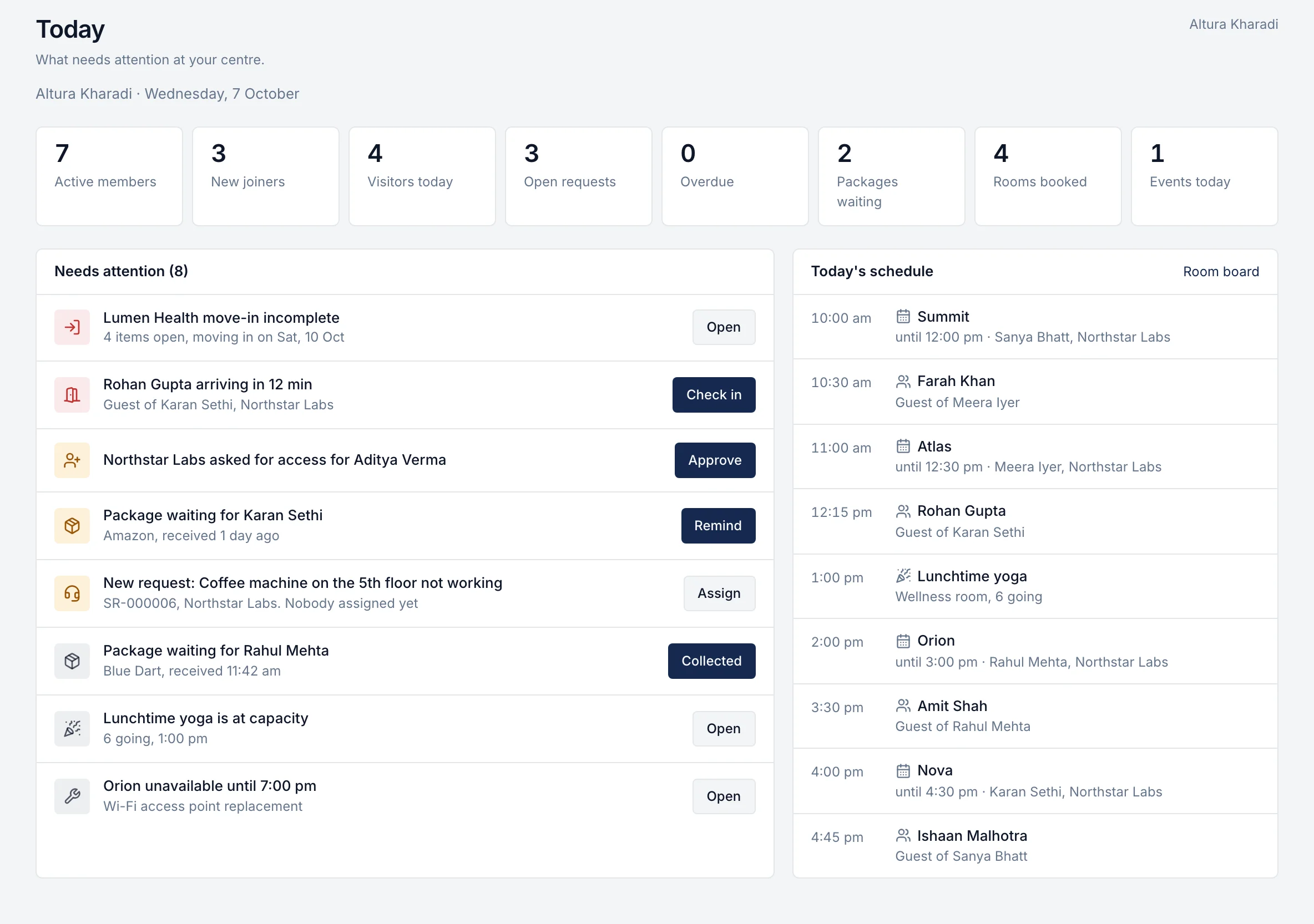
Community manager's Today: counts, an action feed with one-tap actions and the day's schedule

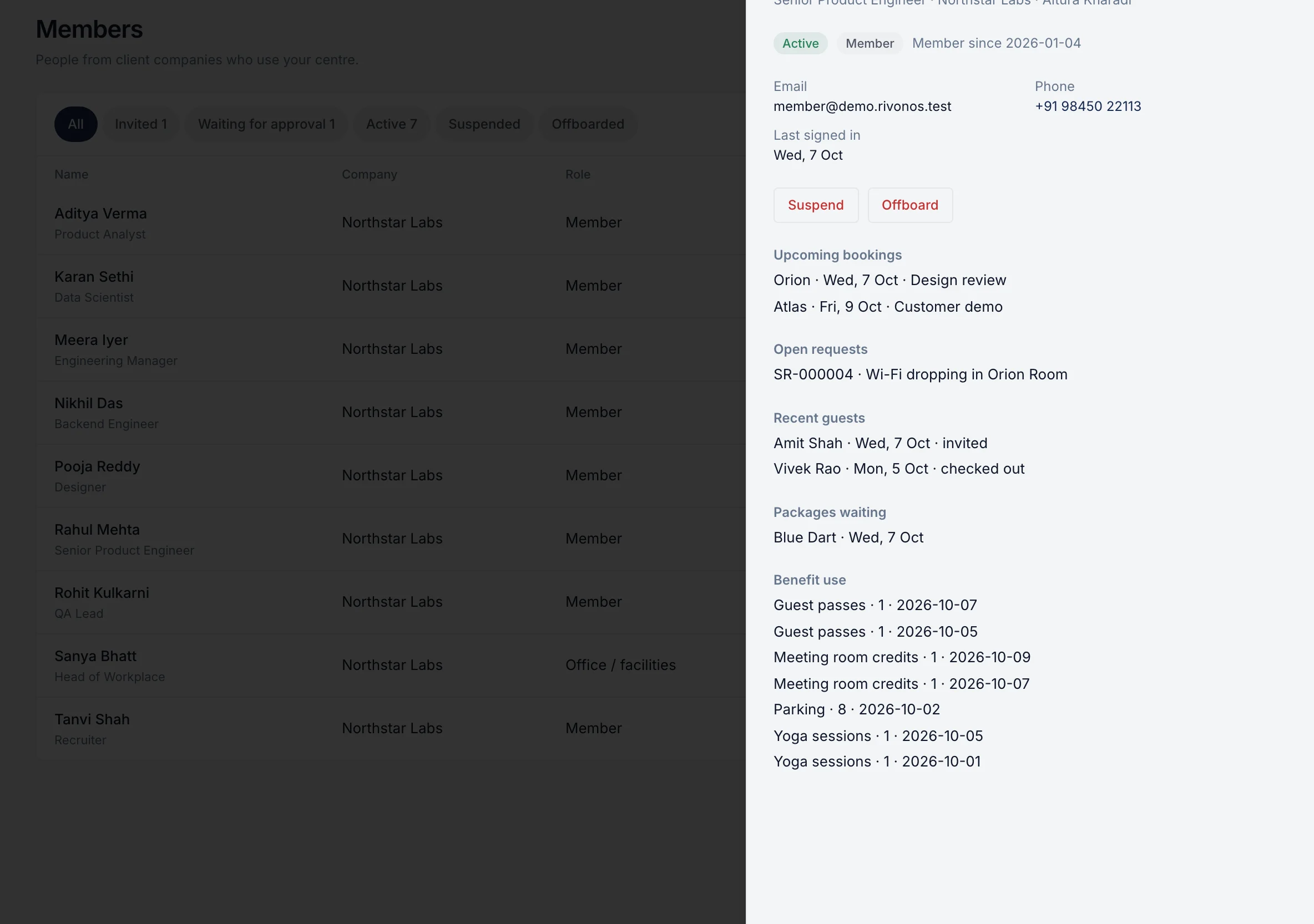
Members

Everyone in the building, from invitation to the day they leave.

Search by name or company and open a member to see their bookings, requests, guests, parcels and benefit use. Invite new members, approve the ones a company asks for, suspend or offboard people who leave.
  • Invited, waiting for approval, active, suspended, offboarded
  • Company admins request access for their own employees
  • Offboarding cancels future bookings and guest invitations
A member's profile with bookings, requests, guests and lifecycle actions

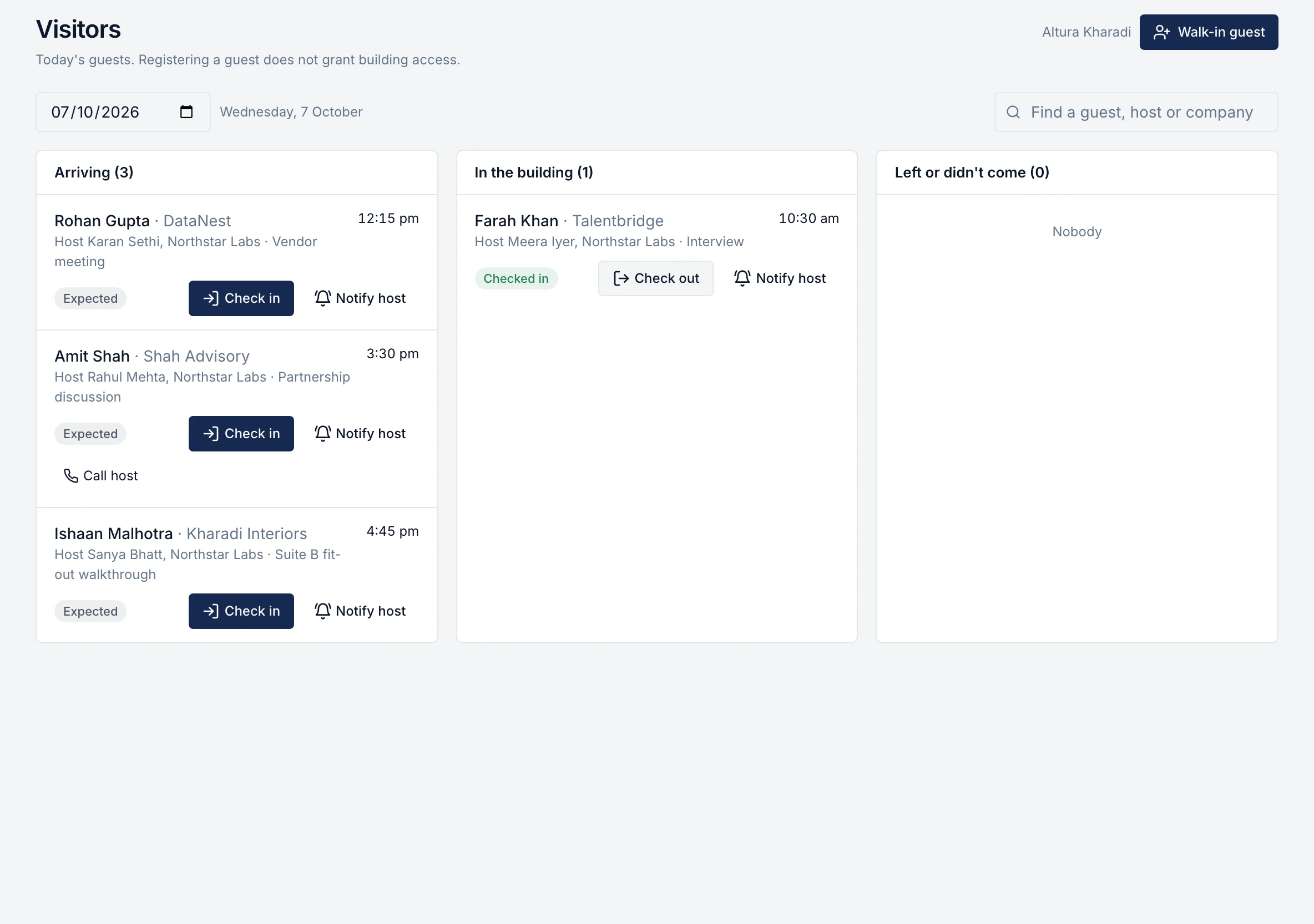
Visitors

A reception desk that knows who's coming.

Today's guests in three lists: arriving, in the building, and done. Check a guest in and their host is told. Call or notify the host, register walk-ins, check people out, mark no-shows.
  • Expected → arrived → checked in → checked out
  • Late guests flagged automatically
Reception desk: guests arriving, in the building and done, with check-in buttons

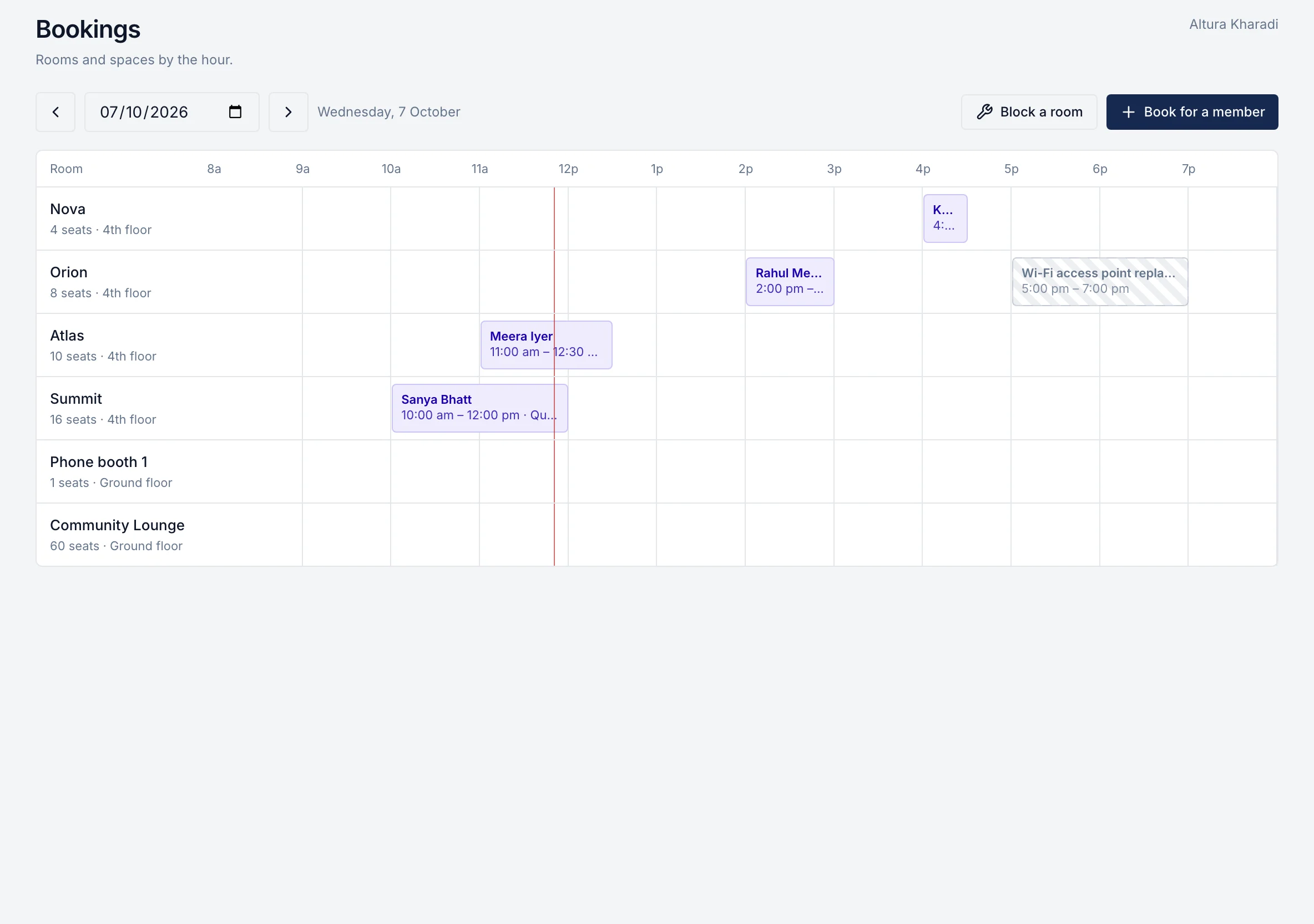
Bookings

Every room, hour by hour.

The room board shows every booking and block for the day. Book on a member's behalf, move a booking to another room or time, cancel it, or block a room for maintenance. Members are told when something changes.
  • Clashes are refused, never overwritten
  • Opening hours, slot sizes and capacity per room
Room board: every room by the hour with bookings and a maintenance block

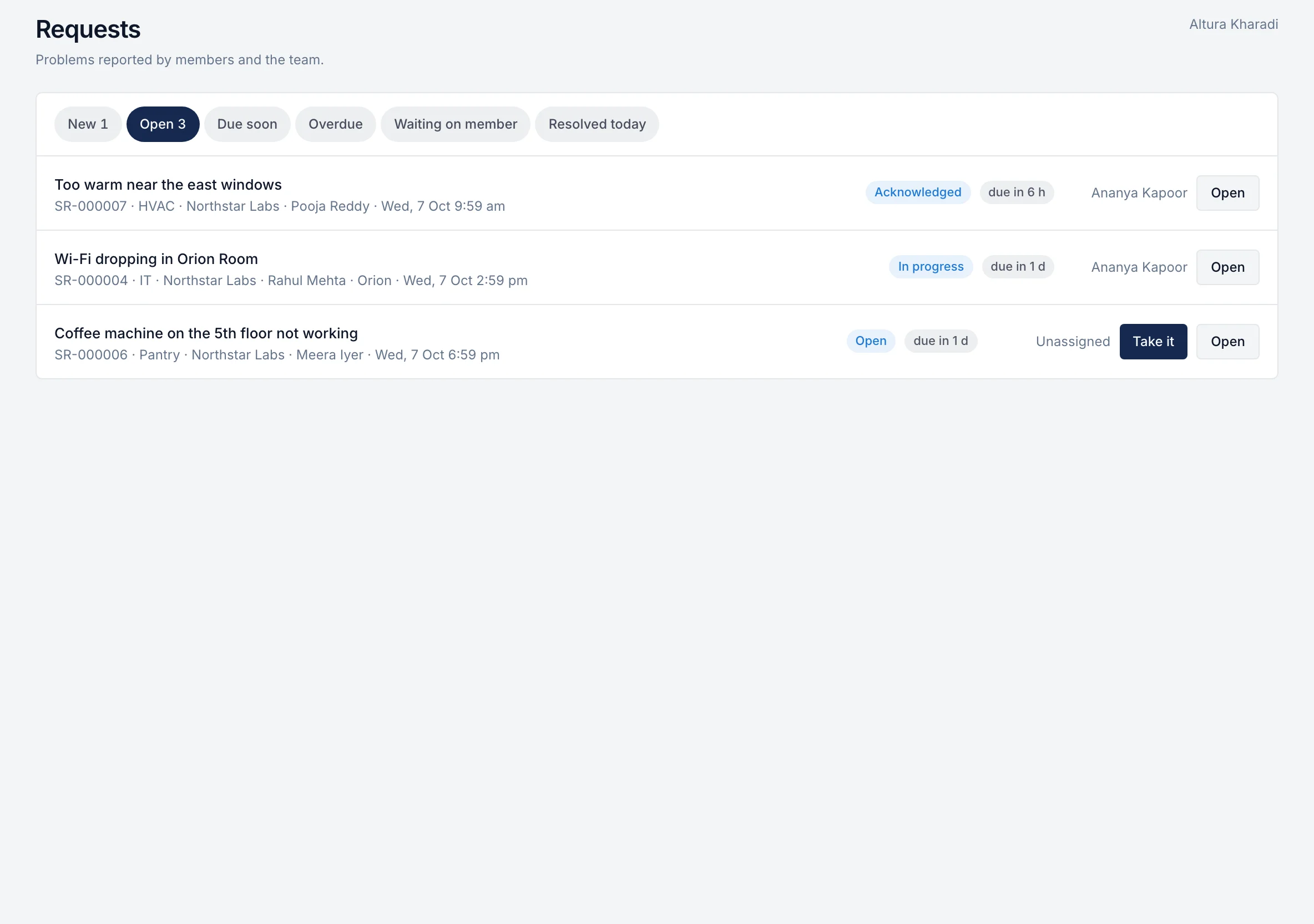
Service requests

Nothing overdue goes unnoticed.

Queues for new, open, due soon, overdue, waiting on the member and resolved today. Take a request in one tap; the member sees it's been picked up. Ratings show how each fix landed.
  • Deadlines from the category and urgency
  • Members' replies hand a request back to the team
  • Average rating across resolved requests
Request queues: new, open, due soon, overdue and waiting on the member

Packages

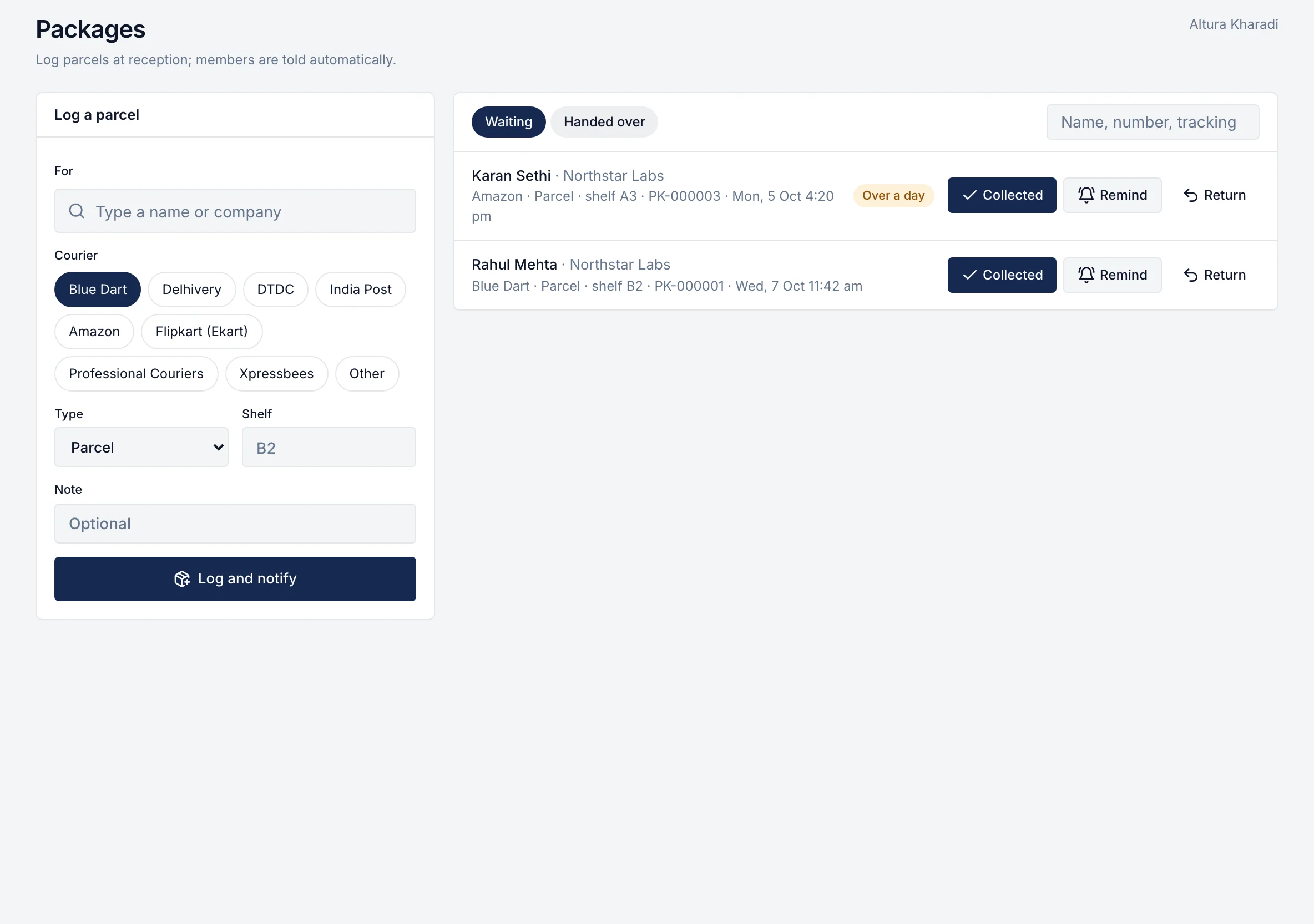
Log a parcel in seconds.

Type a few letters of the member's name, tap the courier, add the shelf, done. The member is told straight away. Hand it over, send a reminder or mark it returned.
Packages desk: log a parcel and hand over waiting parcels

Events and announcements

Keep the community informed.

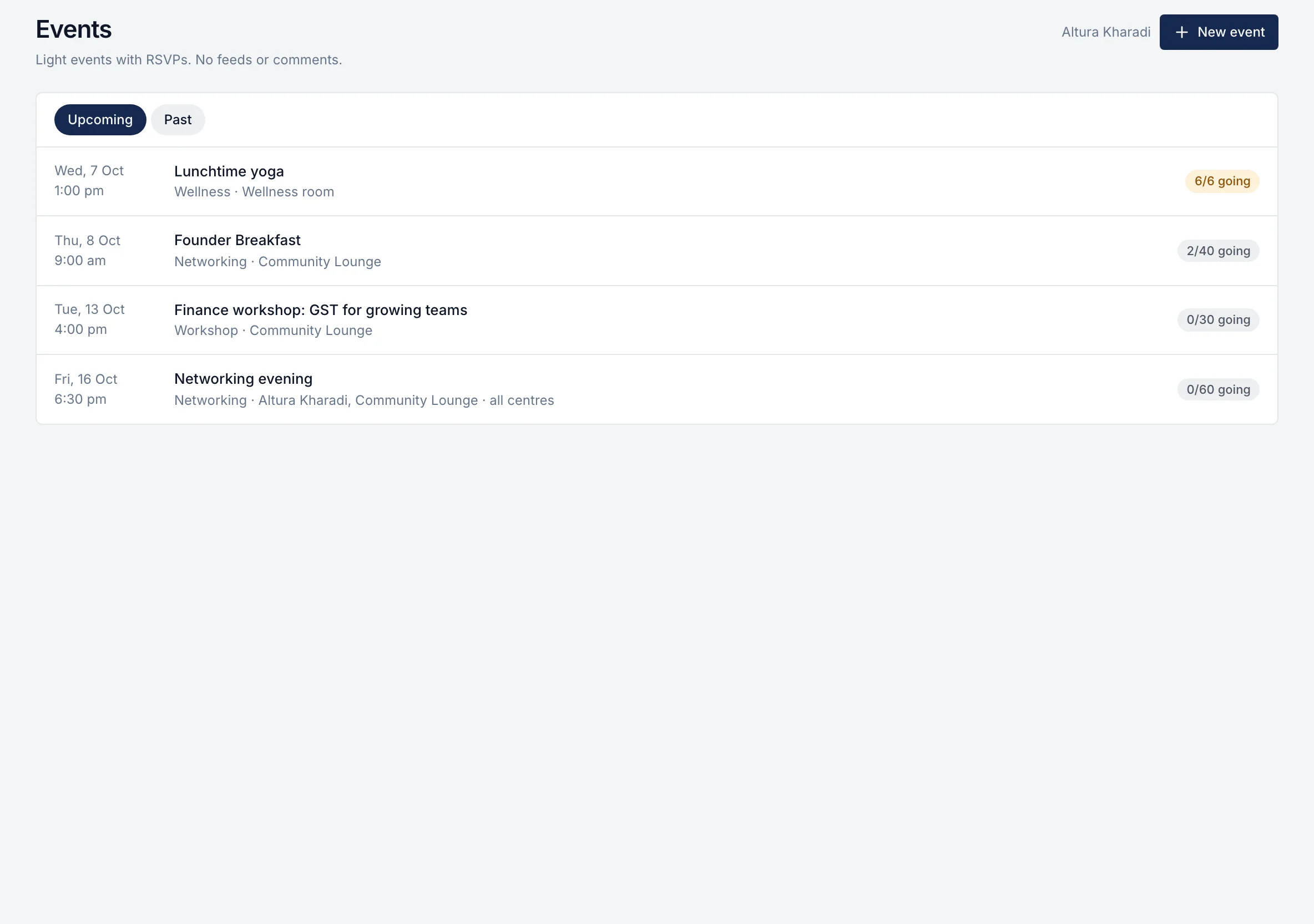
Create events with places and a waitlist, see who's going and mark attendance. Post announcements to one centre, one company or everyone, schedule them and let them expire on their own.
  • Attendees told if an event moves or is cancelled
  • Plain-text notices, pinned when they matter
Events with places taken and waitlists

Benefits

Set up what membership includes.

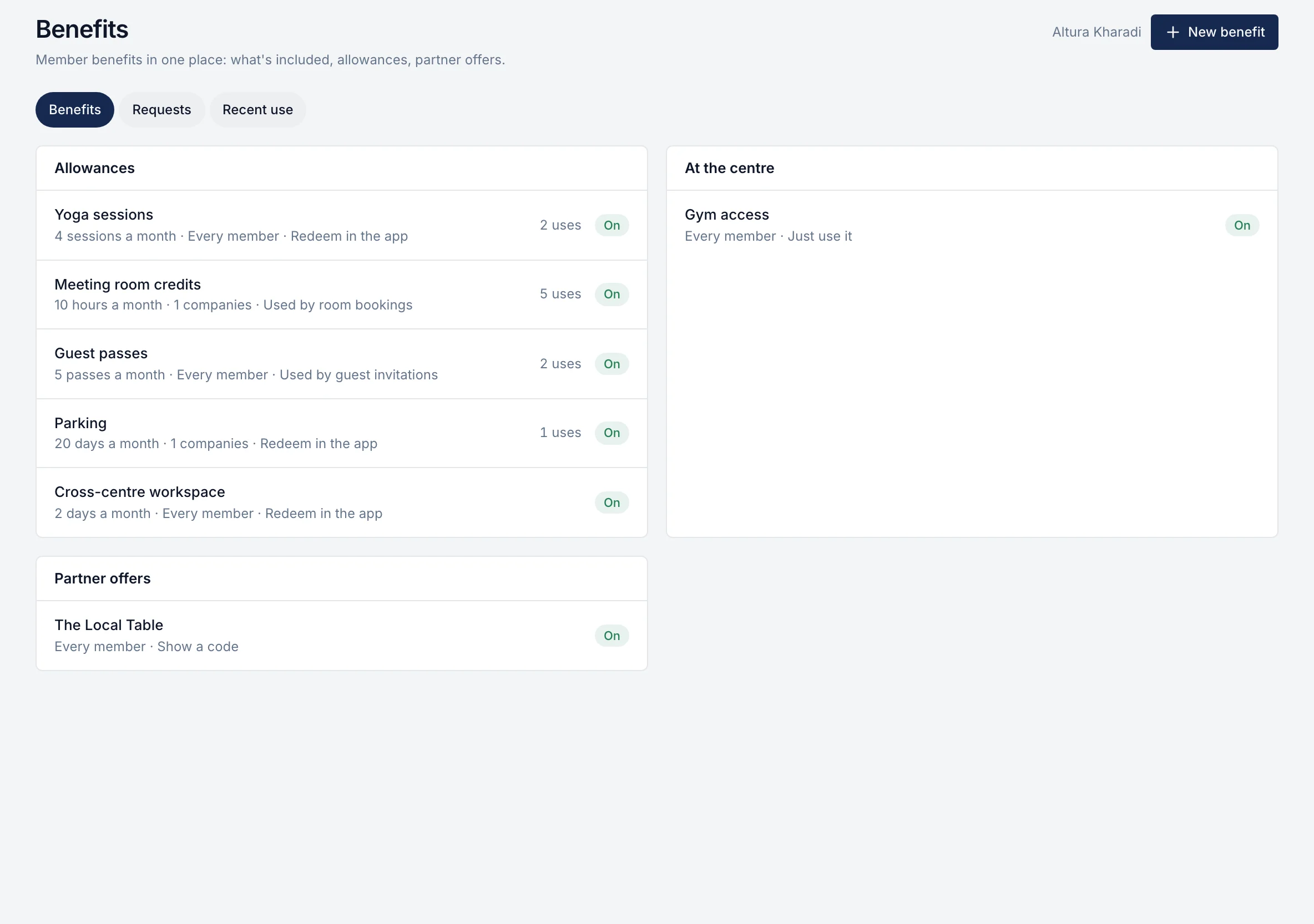
Add benefits of any kind, decide who gets them (every member, chosen companies or chosen people), set monthly allowances, approve requests and see how much each one is used.
Member benefits
Member benefits set-up: allowances, partner offers and usage

Move-ins and move-outs that don't slip.

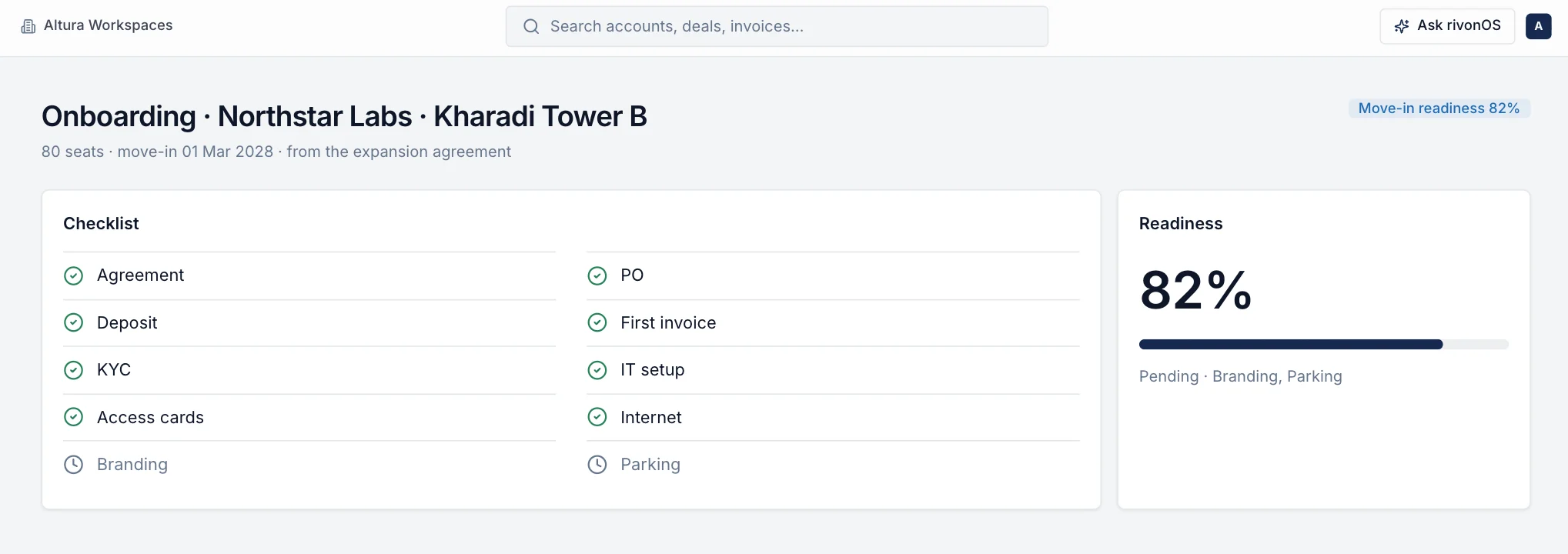
When an agreement is signed, the move-in checklist starts on its own: workspace ready, internet, access cards, branding, parking, welcome message. Items the system can check, like the signed agreement or the deposit, tick themselves. Move-outs follow the same pattern, through to the final invoice and the deposit refund.

Move-in readiness checklist

Built for one centre or fifty.

  • Scoped to the centres each person runs

    A community manager sees their centre; an operations leader sees a city, a region or everything.

  • Every action recorded

    Check-ins, parcels, approvals and changes are in the audit trail, with who did them and when.

  • Members' details kept private

    Phone numbers and notes are encrypted, and members never see another company's records.

Questions about community operations

Who is this for?
Community managers, centre managers, reception and front-desk teams, and the operations leaders who look after several centres.
Can a community manager see other centres?
Only if you give them access. Each person sees the centres you assign: one centre, a city, a region or everything.
Does it work on a tablet at reception?
Yes. It's built for a laptop or a tablet at the front desk, and works on a phone when someone is walking the floor.
Is there visitor badge printing or door access?
No. The visitor desk records who is expected, who has arrived and who has left, and tells the host. Badges and doors stay with your access system.
Can we set our own request categories and deadlines?
Yes. Categories, their member-facing names and their target times are yours to set; priority shortens or lengthens the deadline.

See how your team's day would look in rivonOS.

One hour with the people who built it, using your own centres. If rivonOS isn't the right fit, we'll tell you.