Skip to content

Visitor management software for coworking

A reception desk that knows who's coming.

Members invite their guests from their phone. Reception sees every guest arriving today, checks them in with one tap, and the host is told straight away.

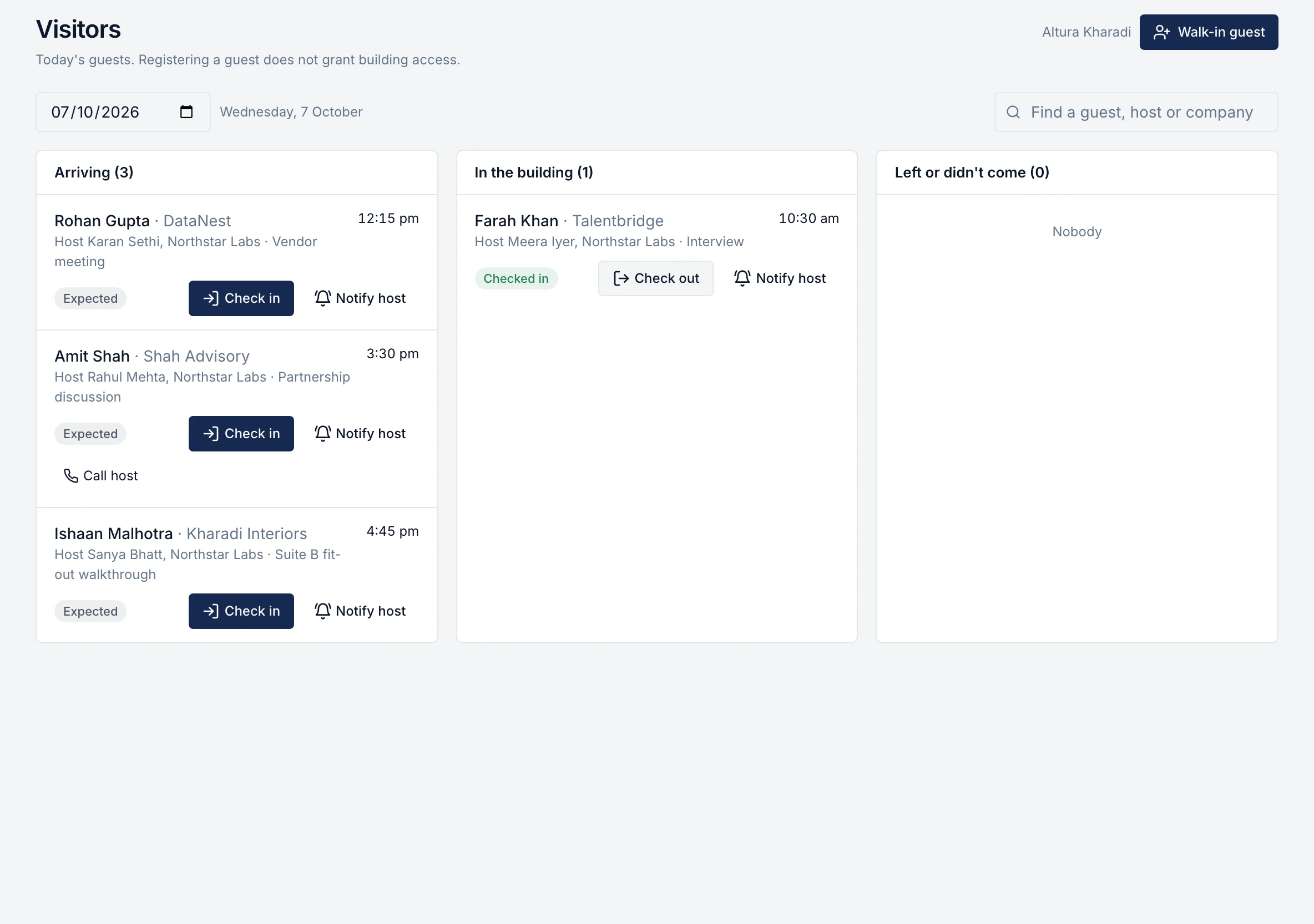
Reception desk: guests arriving, in the building and done, with check-in buttons

Why guests are the hardest part of the front desk

  • Guests wait at reception

    Nobody told the front desk they were coming, so the team phones around to find the host.

  • The host doesn't pick up

    The guest sits in the lobby while someone walks the floor looking for the member.

  • A paper register

    Names, times and companies in a book nobody can search, and no record of who is still in the building.

How it works

Real rivonOS screens. The data is illustrative.

Step 1 · The member

Invite a guest in seconds.

From their phone, the member adds the guest's name, the date and time, and the guest's company. It counts against their guest passes if you set any.
  • No app to download: works in any phone browser
  • Guest-pass allowance shown as they invite
app.rivonos.com
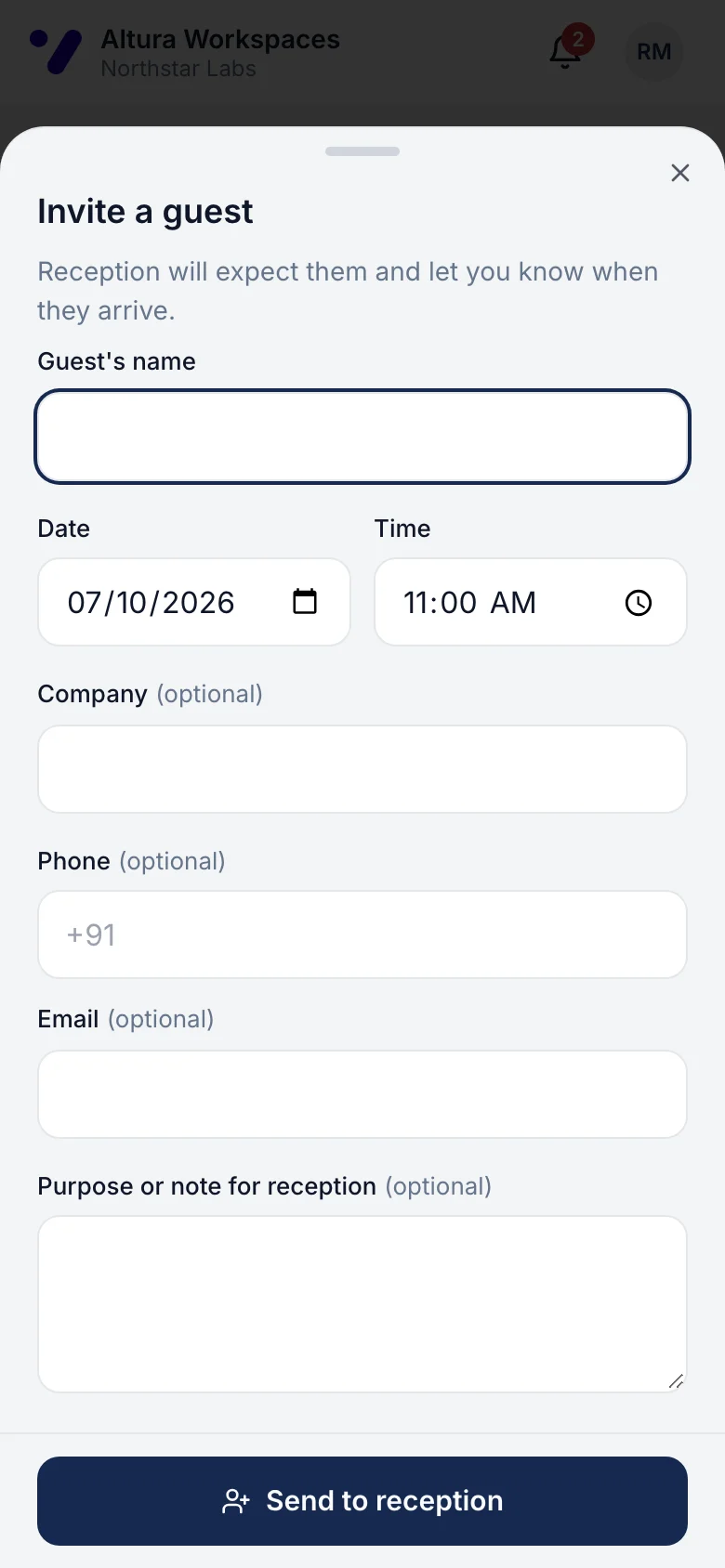
Inviting a guest on a phone: name, date, time and company

Step 2 · Reception

Today's guests, in order of arrival.

The visitor desk shows every guest expected today in three lists: arriving, in the building and done. Late guests are flagged, and walk-ins can be added on the spot.
  • Expected → arrived → checked in → checked out
  • Call or notify the host from the guest's card
Reception desk: guests arriving, in the building and done, with check-in buttons

Step 3 · Arrival

One tap checks the guest in. The host is told.

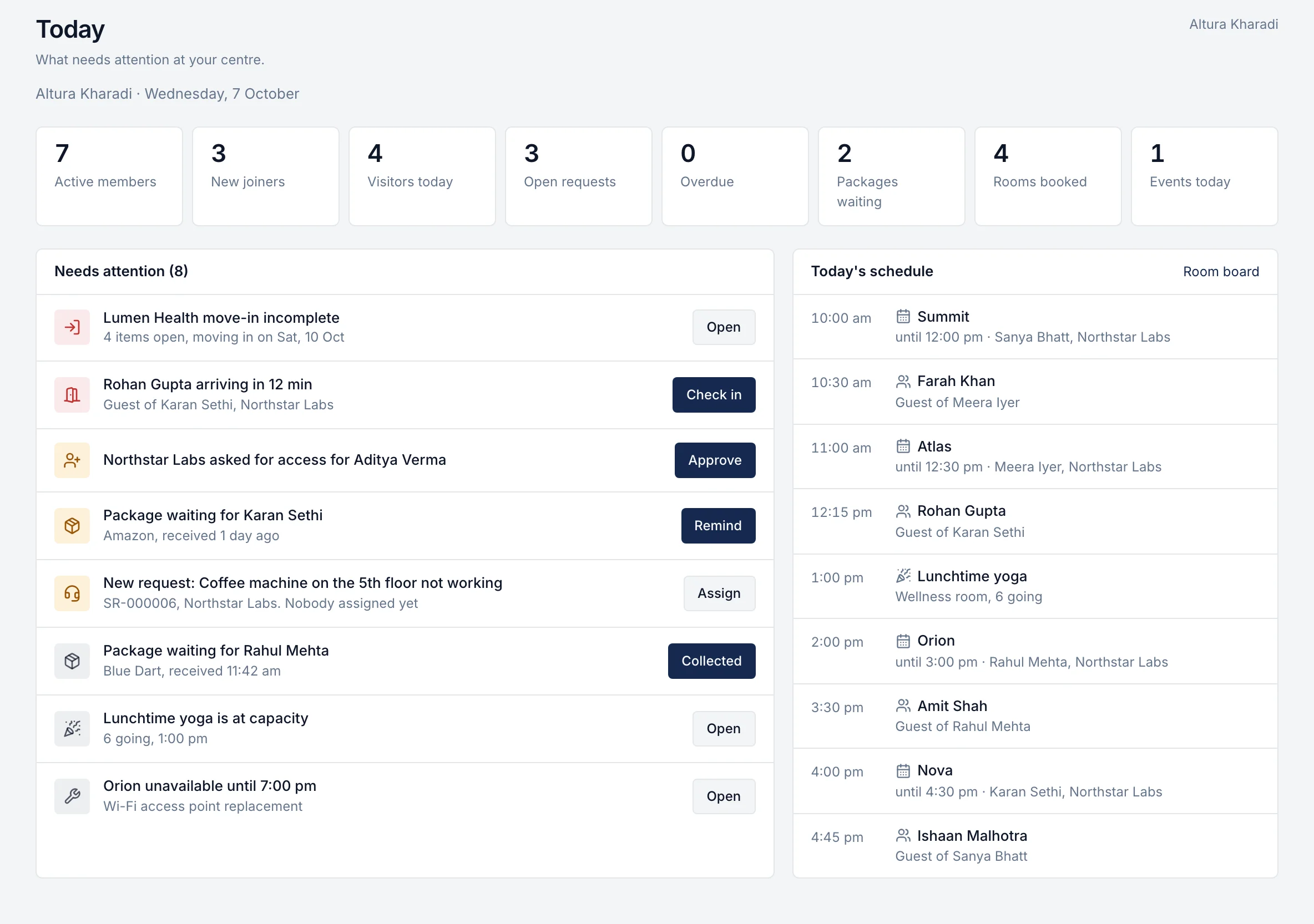
When the guest arrives, reception checks them in and the member gets a notification at once. Guests arriving soon also appear on the team's Today screen.
  • No more walking the floor to find the host
  • Check-outs and no-shows recorded for the day
Community manager's Today: counts, an action feed with one-tap actions and the day's schedule

What's included

What it doesn't do

Door access control and visitor badges are in development and coming soon. Today rivonOS tells your team who is expected and who has arrived, and your access-control system handles the doors.

  • Members invite guests from their phone: name, date, time and company
  • Guest-pass allowances per member or company, counted automatically
  • Reception sees today's guests in three lists: arriving, in the building, done
  • Check in with one tap, and the host is told the guest has arrived
  • Call or notify the host from the guest's card
  • Register walk-ins who weren't invited
  • Check guests out, and mark no-shows
  • Late guests flagged automatically
  • Each centre sees only its own guests; every check-in is in the audit trail

Visitor management is part of the member app and community pack, priced per centre per month alongside room bookings, requests, benefits and events. See pricing.

Questions about visitor management

What is visitor management in a coworking space?
It's how a centre knows which guests are expected, lets them in smoothly, tells their host they've arrived and keeps a record of who was in the building. In rivonOS the member invites the guest and the centre team handles arrival on one screen.
Does rivonOS print visitor badges or open doors?
Coming soon. Door access control and visitor badges are in development. Today rivonOS records who is expected, who has arrived and who has left, and tells the host; your access-control system handles doors and turnstiles.
Do guests need to download anything?
No. Guests don't need an app or an account. The member invites them, and reception checks them in when they arrive.
Can members bring guests without limits?
You decide. Set guest-pass allowances per member or per company; rivonOS counts them as guests are invited.
How much does visitor management cost?
It's part of the member app and community pack, priced per centre per month together with member bookings, requests, benefits and events. See the pricing page for current prices.

See your reception desk in rivonOS.

One hour with the people who built it, using your own centres. If rivonOS isn't the right fit, we'll tell you.