Service levels
Deadlines and ratings for every request.
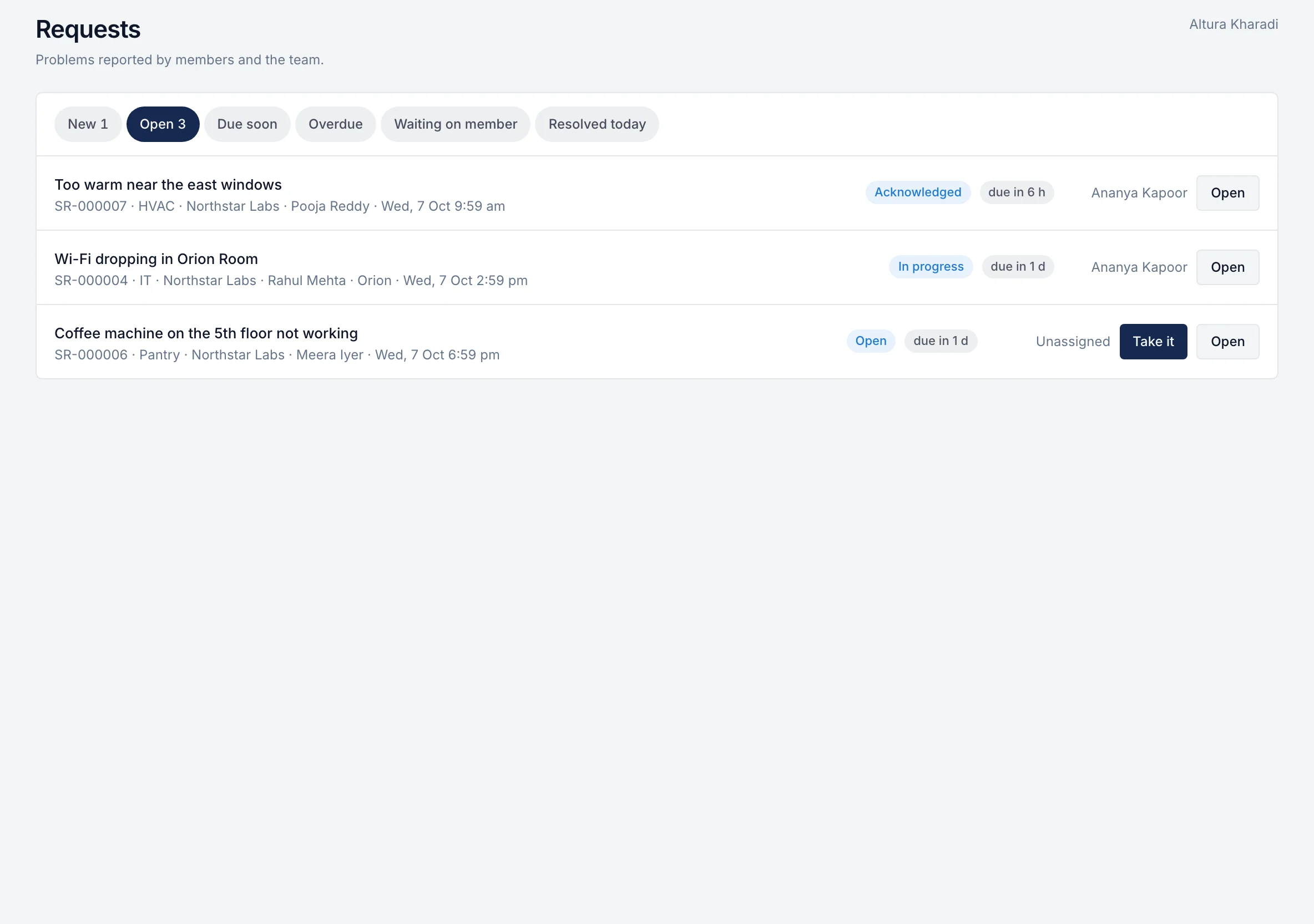
Queues for new, overdue, waiting on the member and resolved today, with deadlines set by category and urgency and a 1 to 5 rating on every fix.
For heads of operations and COOs
The same tools for every centre team, and one view across all of them.
The same way of working in every centre
Requests, visitors, parcels, bookings and move-ins follow one process, whoever is on the desk, so a new centre runs like the old ones from day one.
Each team sees its own centres
Give a community manager one centre, a city lead a city, a regional head a region. You see everything.
Service you can measure
Every request has a deadline from its category and urgency. See what's overdue, how fast things are fixed and how members rate the fixes, centre by centre.
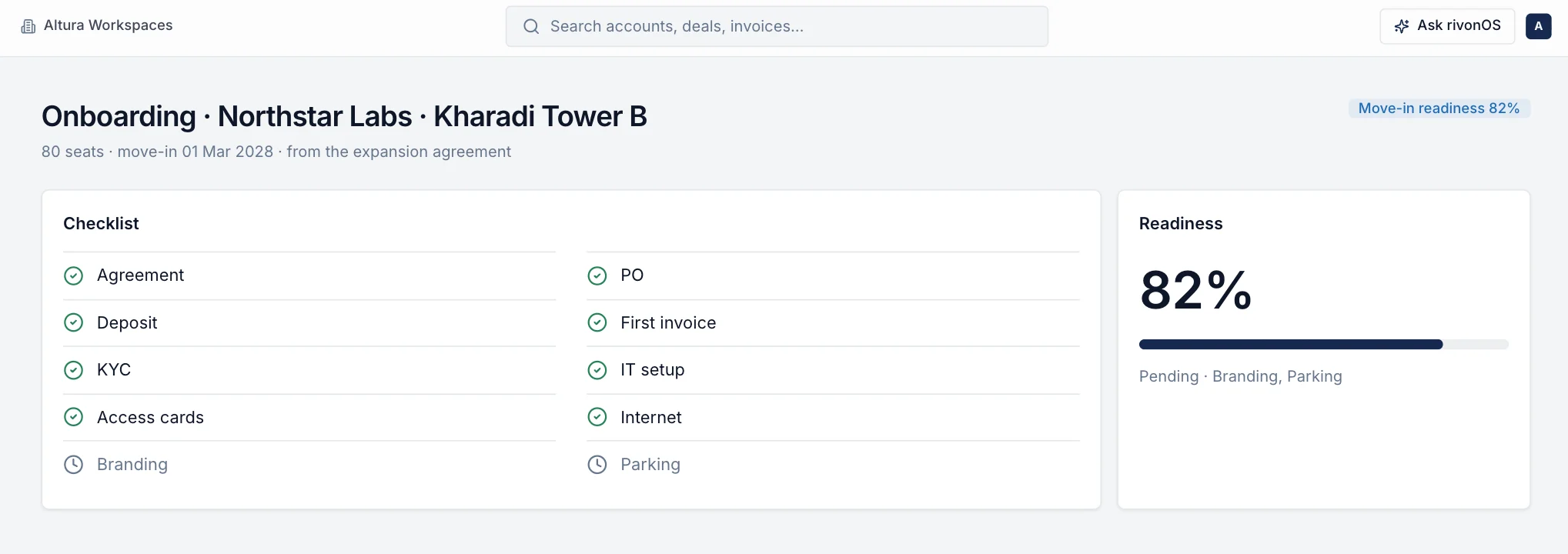
Move-ins and move-outs that don't slip
Checklists start for each client and cover the items that usually fall between teams, through to the final invoice and the deposit.
Members your clients manage too
Client companies request access for their own staff and remove leavers; your teams approve. No more spreadsheets of names.
One view of the portfolio
Occupancy, revenue, collections and renewals from the portfolio down to a single centre, with service-request reports beside them.
Know how full each centre will be
Forward occupancy shows seats contracted, moving in and ending at each centre, week by week or month by month, with the renewals behind them.
Buying on the same standard
Purchase requests, approvals, purchase orders and vendor bills follow one process in every centre. Nobody approves their own request.
Standards hold when they are built into the tools the team uses every day, not written in a document nobody opens.
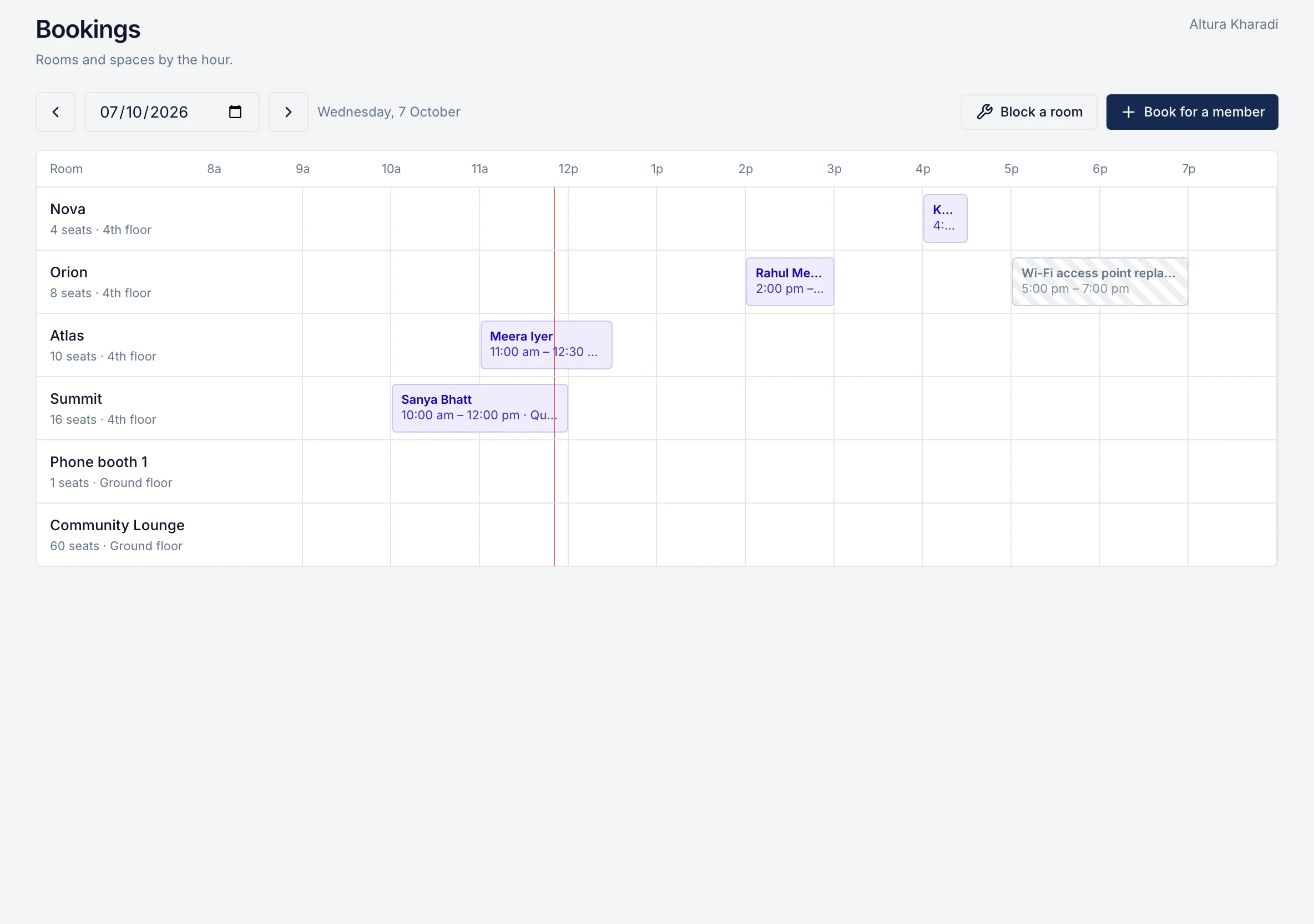
Add the centre, its floors, rooms and spaces
Publish the centre guide
Assign the team and their access
Use the same request categories and deadlines
Start each client's move-in checklist
Service levels
Move-ins and move-outs
Any centre, any time
Control tower
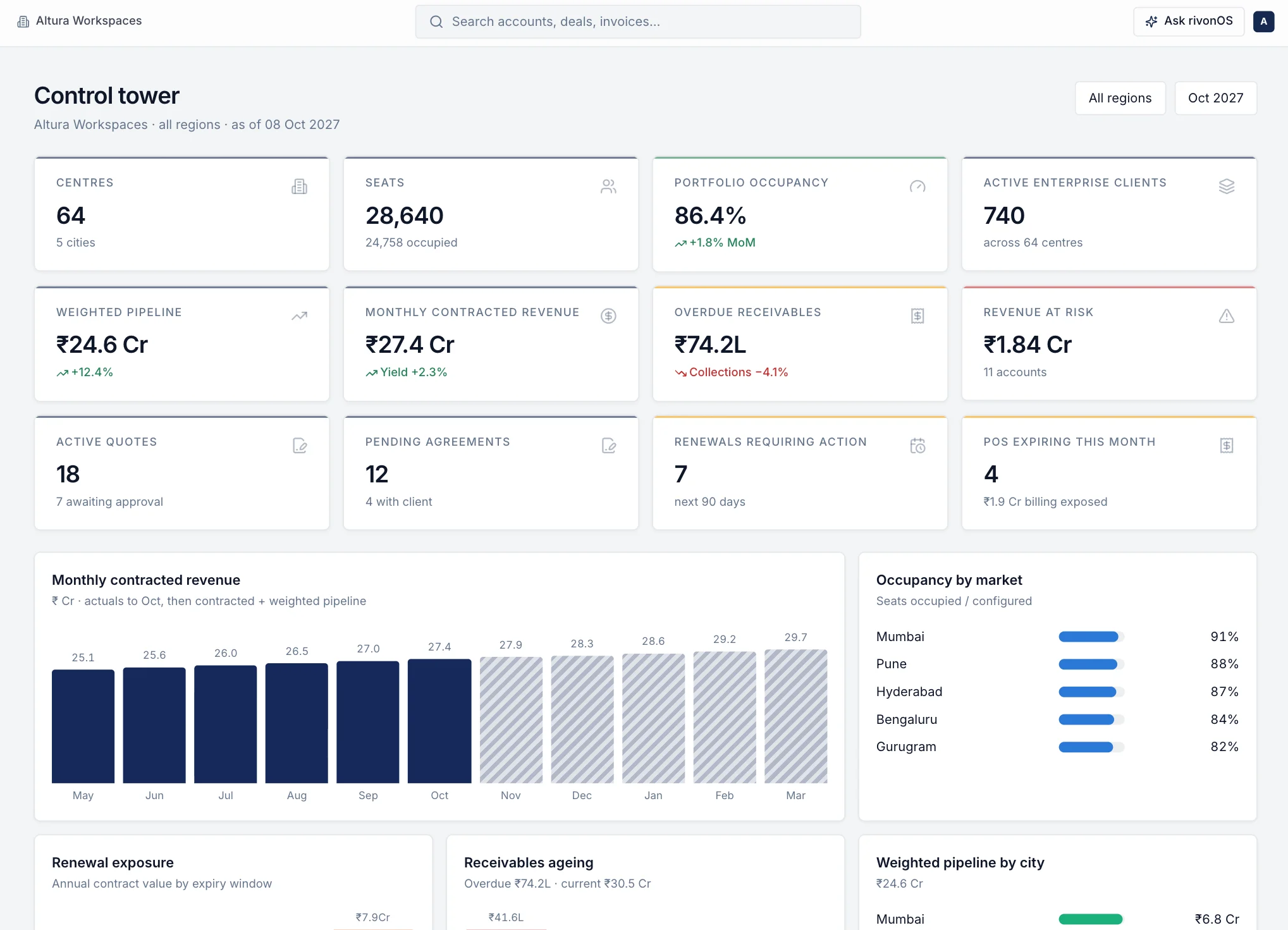
What a head of operations can look at, and how often, without asking each centre for a spreadsheet.
Every day
Each centre's Today screen: guests, bookings, overdue requests and parcels. Open any centre's view and see exactly what its team sees, so a quick check takes minutes, not a round of phone calls.
Every week
Overdue requests and member ratings by centre, move-ins and move-outs coming up, and rooms blocked for maintenance. A centre that slips stands out against the others before members start to complain.
Every month
Occupancy today and ahead, contracted revenue, dues, renewals and spend by centre, and the MIS pack for leadership. The numbers come from the same records your teams work in every day.
Roles and centre-scoped access decide what each person can see and change. The same rules apply in every centre, and important actions are kept in an audit log.
Community managers
Their own centre: members, guests, bookings, requests, parcels, events and move-ins.
City and regional leads
Every centre in their city or region, with the same screens their teams use.
Sales
Leads, availability and quotes across centres, without changing what a centre team sees.
Finance
Agreements, billing, credit notes, payments and collections, with a second person required for sensitive changes.
Leadership
The control tower, reports and the MIS pack for the whole portfolio.
Client company admins
Their own team, invoices, statement and purchase orders, through the client portal.
One hour with the people who built it, using your own centres. If rivonOS isn't the right fit, we'll tell you.