How to manage multiple coworking centres

The short answer
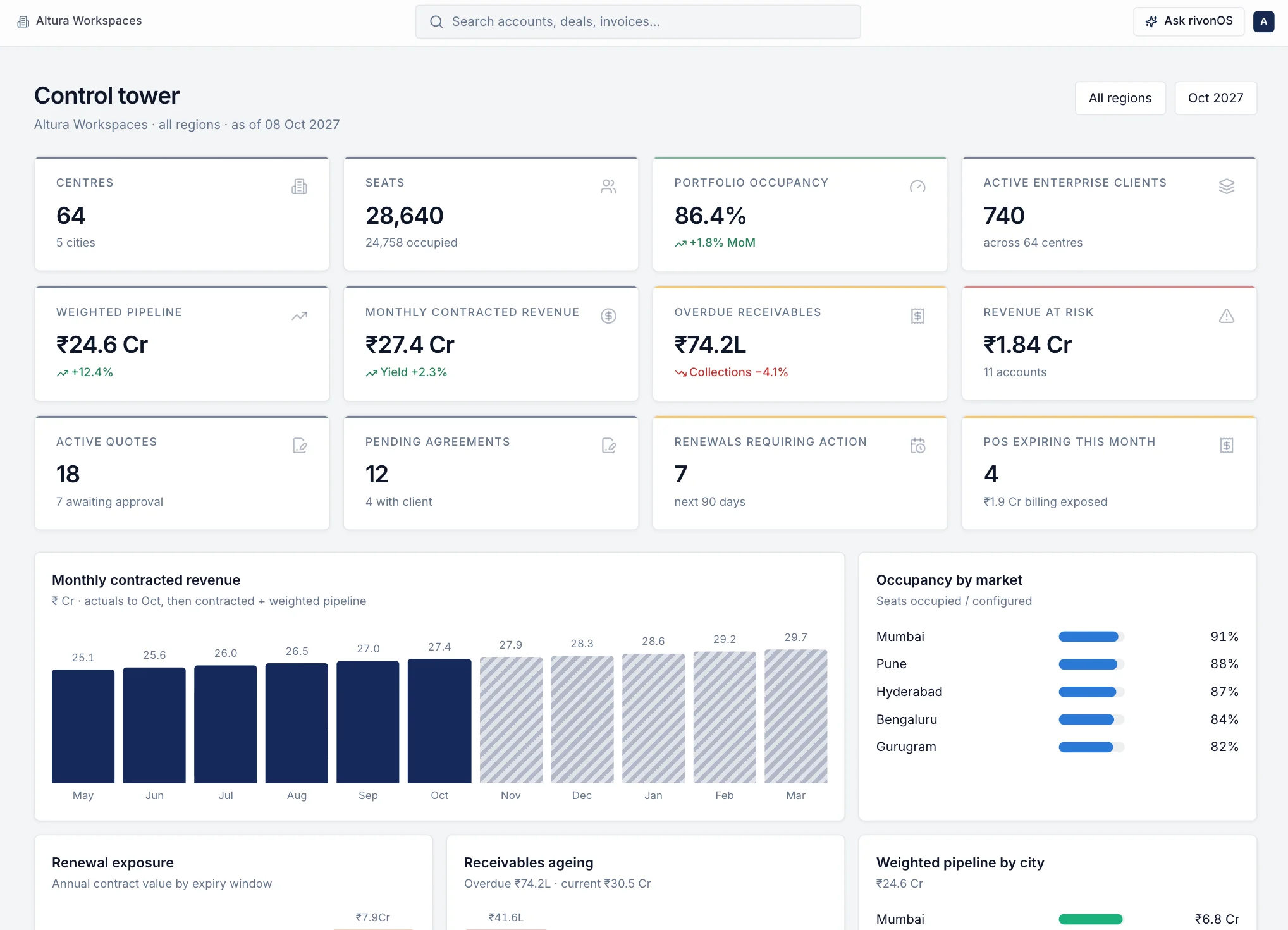
Managing several coworking centres well comes down to one standard applied everywhere. Write the same checklists and service levels for every centre, give each team access only to its own centres, keep one live view of inventory so sales never sells the same seats twice, bill each centre from its own state's GSTIN, and review the same short set of numbers every week and every month. Most problems in a growing portfolio start when each centre keeps its own spreadsheet.
Who this guide is for
This guide is for founders, COOs and regional heads running two or more coworking or managed office centres, in one city or several. It is also useful if you are about to open your second centre and want to avoid building habits that will not scale.
What changes after the second centre
With one centre, the founder or centre head sees everything. With several, nobody does, unless the business is set up for it. The usual signs:
- Each centre runs member requests, guest entry and room bookings slightly differently.
- Sales asks each centre on WhatsApp which seats are free, and gets different answers.
- Finance builds invoices from several spreadsheets, each kept by a different person.
- Leadership waits until the middle of the next month for occupancy and collections by centre.
- A good community manager leaves, and that centre's way of working leaves with them.
The fix is not more meetings. It is one way of working, one source of truth and a fixed rhythm for reviewing it.
Set one standard for every centre
Write down the standard once and use it everywhere. Keep each document short enough that a new team member reads it on the first day.
- Daily centre checklist. Opening, through the day and closing. Start from the community manager daily checklist or the centre operations checklist tool.
- Member onboarding. The same move-in steps for every new client company. See the member onboarding checklist.
- Service requests. The same categories, owners and deadlines in every centre.
- Guests and parcels. How guests are expected, checked in and handed to the host; how parcels are logged and handed over.
- Room bookings. The same rules for booking, cancelling and blocking rooms for maintenance.
- Move-outs. Notice, handover, deposit refund and the final invoice, in a fixed order.
Allow centres to differ only where the building forces it, such as parking or access hours, and record those differences in the centre guide.
Roles and access by centre
As the team grows, decide who can see and change what.
| Role | Usually sees | Usually changes |
|---|---|---|
| Community manager | Their own centre | Members, guests, bookings, requests, events at their centre |
| Centre or city head | Their centres | Approvals for their centres, centre set-up |
| Sales | Availability across centres | Leads, quotes within their discount authority |
| Finance | All centres | Invoices, credit notes, receipts, collections |
| Leadership | All centres | Approvals above set limits |
Two rules prevent most problems: nobody approves their own request, and sensitive changes such as price changes and credit notes need a second person.
Service levels that you can measure
A standard means little unless you can see whether it is met. Pick a few service levels and measure them the same way at every centre.
- Response time for service requests, by category. For example, Wi-Fi in a meeting room is urgent; a new chair is not.
- Requests closed on time, as a share of all requests closed in the period.
- Member rating when a request is closed.
- Guests checked in without waiting for the host to be found.
- Move-ins ready on the agreed date, with every checklist item done.
Set the targets yourself, based on your clients' expectations. Review the same numbers for every centre, side by side.
Inventory and sales across centres
Sales needs one live answer to one question: which centres can take this requirement, from which date, at what price?
- Keep one inventory for all centres: seats, cabins and floors, with what is occupied, what is notified to leave and what is free from when.
- Search by requirement: city, seats, start date, tenure, type of space and budget.
- Hold a seat or space when a quote is sent, so two salespeople do not offer the same seats.
- Price from one price book with a target and a floor for each centre, and route discounts for approval.
Billing from the right state
For a workspace, the place of supply is usually where the centre is. A portfolio across states needs a GST registration in each state with centres, and each centre's invoices must go out from that state's GSTIN. A Gurugram centre bills from the Haryana GSTIN even if the client's head office is in Bengaluru. The GST guide explains this with examples.
Also keep, for each centre: the invoice number series, the bank account for collections, and who approves credit notes.
The weekly and monthly portfolio review
Use the same agenda every time, with numbers from one system rather than from each centre's own sheet.
Weekly, 30 minutes, operations and sales
- Occupancy by centre: contracted seats against sellable seats.
- New enquiries, site visits and quotes sent by centre.
- Move-ins and move-outs in the next 30 days.
- Overdue service requests, by centre and category.
- Anything stuck waiting for an approval.
Monthly, 60 minutes, leadership and finance
- Revenue by centre, against the agreements: anything not billed that should have been.
- Receivables by age, by client and centre, with who is following up.
- Renewals and notice dates in the next 90 to 180 days.
- Discounts and concessions approved, with their annual value.
- Member ratings and request service levels by centre.
- Break-even occupancy for each centre, using the break-even calculator.
Common failure points
- Different spreadsheets for inventory. Seats get sold twice, or sit empty because sales did not know they were free.
- Invoices typed from copies of agreements. Escalations and seat changes are missed. See where flex revenue leaks.
- A process that lives in one person's head. When they leave, the centre's standard leaves too.
- Everyone can see everything. Floor prices and client terms reach people who should not see them.
- Monthly reports built by hand. By the time leadership sees a problem, it is weeks old.
How rivonOS supports a portfolio
For heads of operations, the operations leaders page shows how this works across centres. To see it on your own portfolio, book a walkthrough across your centres.
Questions operators ask
How do you standardise operations across coworking centres?
Write one short checklist for each recurring process, use the same categories and deadlines for service requests everywhere, and review the same numbers for every centre side by side each week. Let centres differ only where the building requires it.
What should a multi-centre coworking dashboard show?
Occupancy, revenue against agreements, receivables by age, renewals coming up, and service levels by centre. Keep it short enough to review in a weekly meeting.
Do I need a GST registration in every state where I have a centre?
Generally yes, because the place of supply for a workspace is usually where the centre is. Confirm your registrations with your Chartered Accountant.
When should a growing operator move off spreadsheets?
When more than one person keeps the same information in different files, when sales cannot see live availability across centres, or when monthly reports take more than a day to build. For many operators that happens at the second or third centre.
Related reading: how to choose coworking management software.