Skip to content

Coworking member app · for members

Everything members need, on their phone.

Book rooms, invite guests, get help and use benefits. No app to install.

app.rivonos.com
Rahul's Today page on a phone: next meeting in Orion at 2 pm, a guest at 3:30 pm and quick actions
app.rivonos.com
Finding a room on a phone: rooms with capacity, equipment and free times for 12 pm

A member's day, in one place.

Rahul works at Northstar Labs, from Altura Kharadi. This is the member app on Rahul's phone.

Today

What matters today, at a glance.

The first screen shows only what matters right now: the next meeting, a guest on the way, a parcel at reception, a request being fixed, an event tomorrow and a benefit with sessions left. Nothing empty to scroll past.
  • Quick actions: book a room, invite a guest, report a problem, see benefits
  • Centre notices, like a fire drill or maintenance, pinned at the top
  • Greets members by name, for the centre they work in
app.rivonos.com
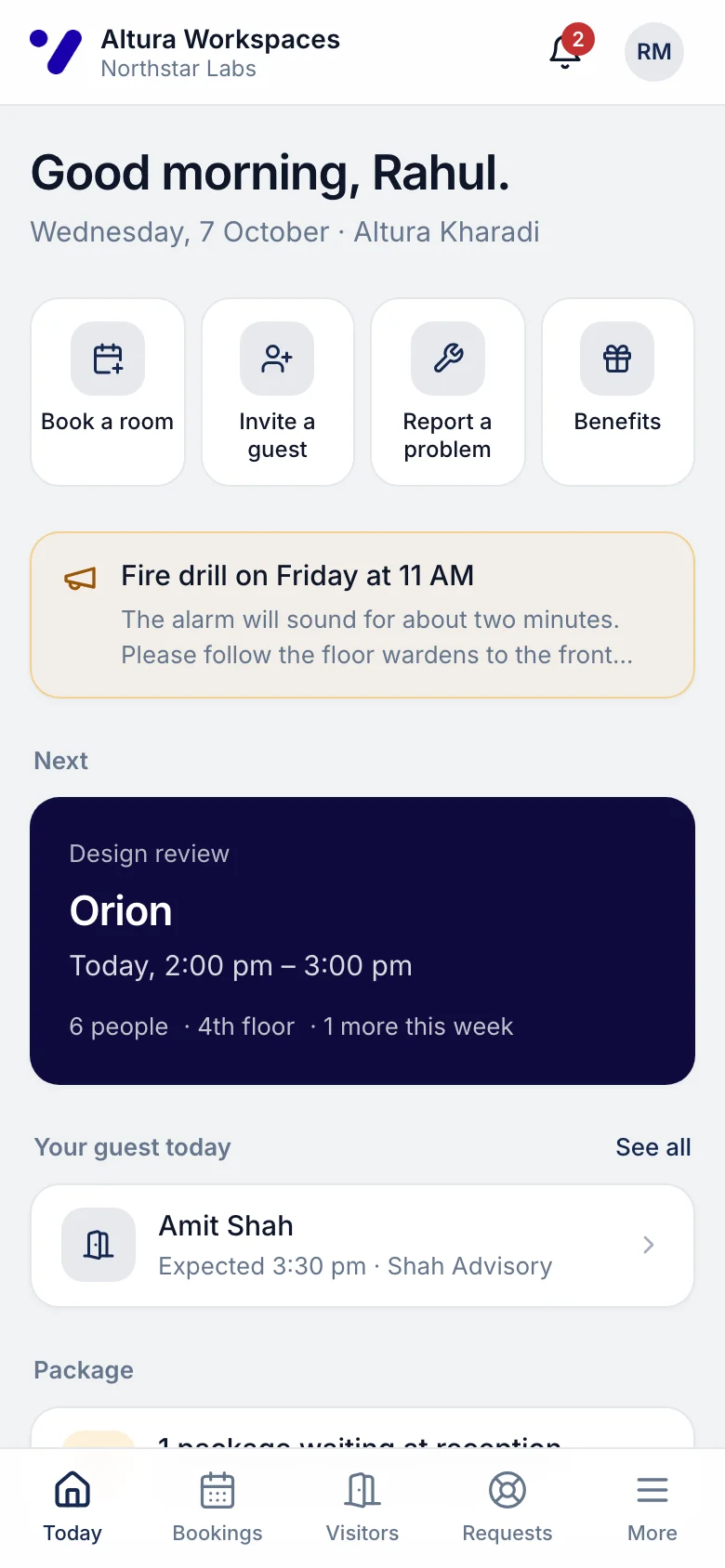
Rahul's Today page on a phone: next meeting in Orion at 2 pm, a guest at 3:30 pm and quick actions

Bookings

A room in two taps.

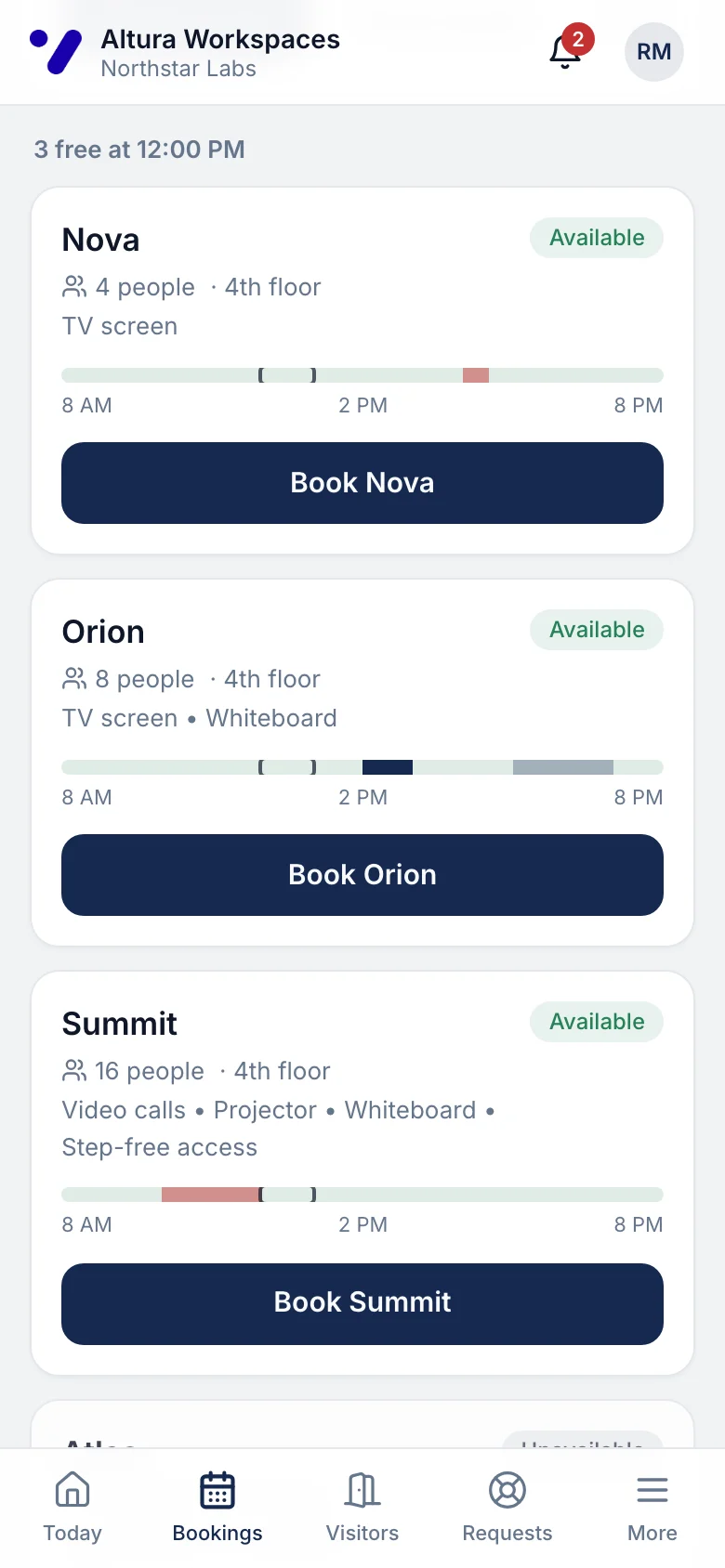
Members choose the day, the time, how long and how many people. They see which rooms are free, how many people each fits and what's in it, then book. Rooms, phone booths and other spaces work the same way.
  • Free and busy times for the day at a glance
  • Change the time or cancel until the meeting starts
  • Included meeting-room hours are used first; anything beyond is recorded for billing
  • Double bookings are impossible, even when two people tap at once
app.rivonos.com
Finding a room on a phone: rooms with capacity, equipment and free times for 12 pm

Visitors

Reception knows who's coming.

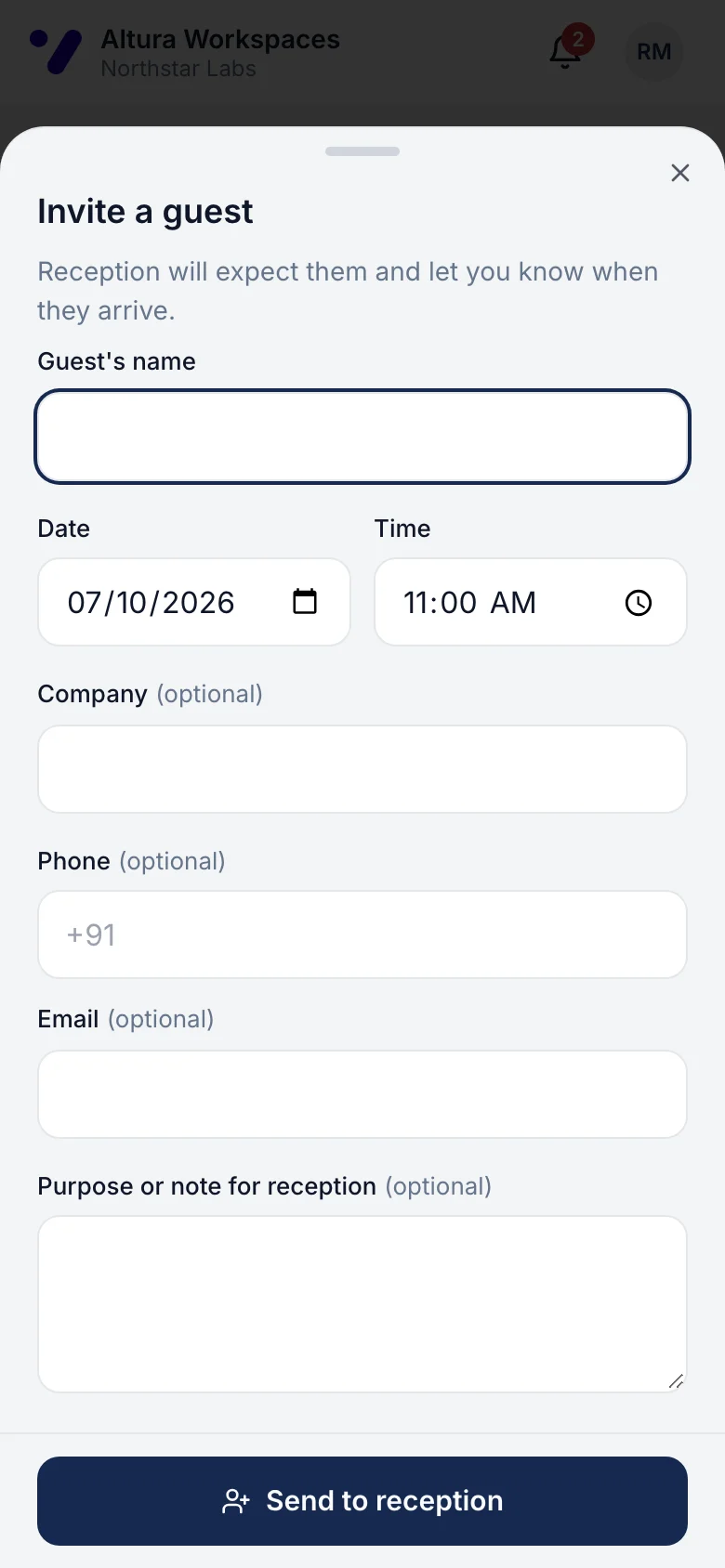
A member adds a guest's name, time and company. Reception sees the guest on today's list, and the member gets a notification the moment they arrive.
  • Guest passes counted automatically when the operator uses them
  • Upcoming and past guests in one list
  • Registration only: it doesn't open doors
app.rivonos.com
Inviting a guest on a phone: name, date, time and company

Service requests

Get help without knowing who to ask.

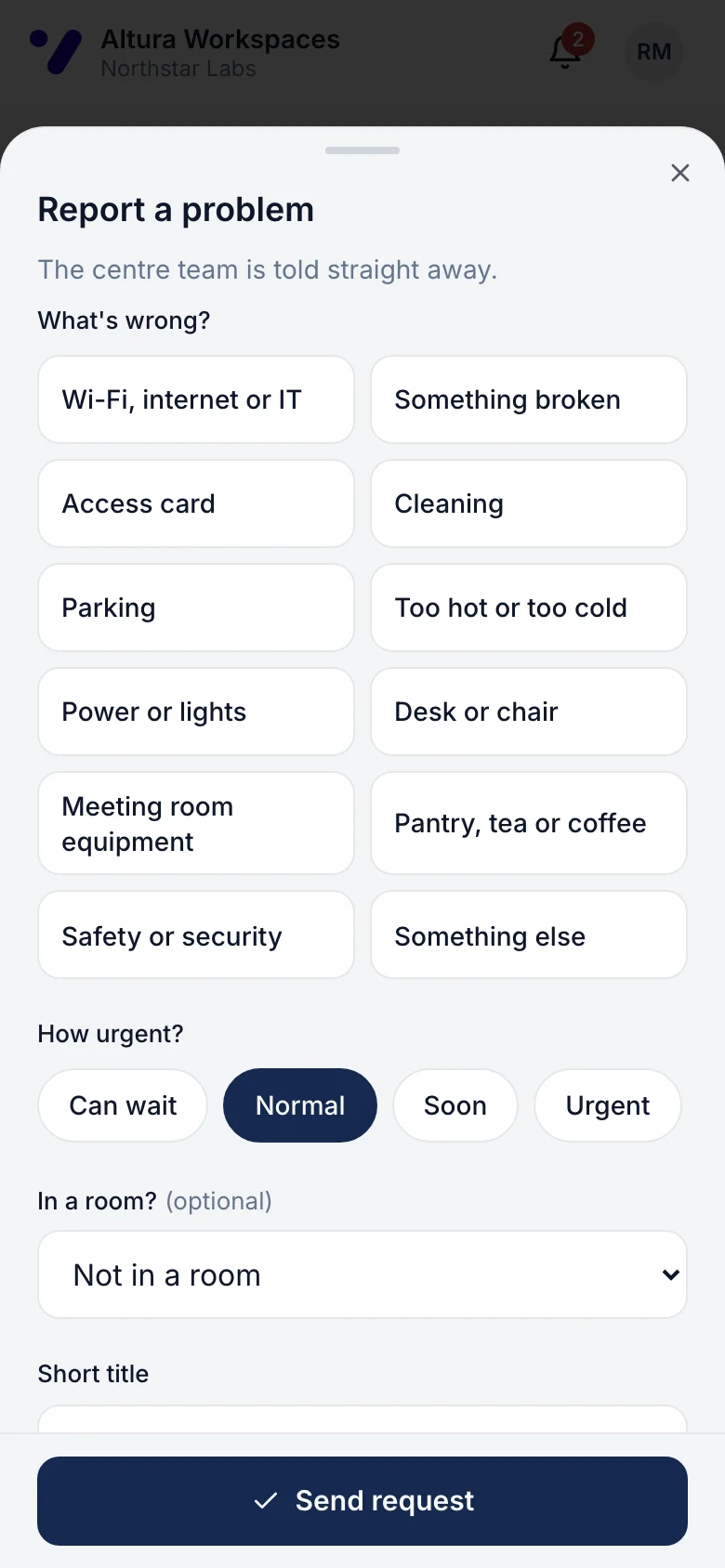
Members pick what's wrong in plain words, like 'Wi-Fi, internet or IT' or 'Too hot or too cold', say which room, add a photo and send it. They follow the fix step by step and rate it when it's done.
  • The right team gets it, with a deadline based on how urgent it is
  • Replies and progress in one conversation
  • A 1–5 rating and comment after it's resolved
app.rivonos.com
Reporting a problem on a phone by choosing what's wrong in plain words

Member benefits

Everything membership includes.

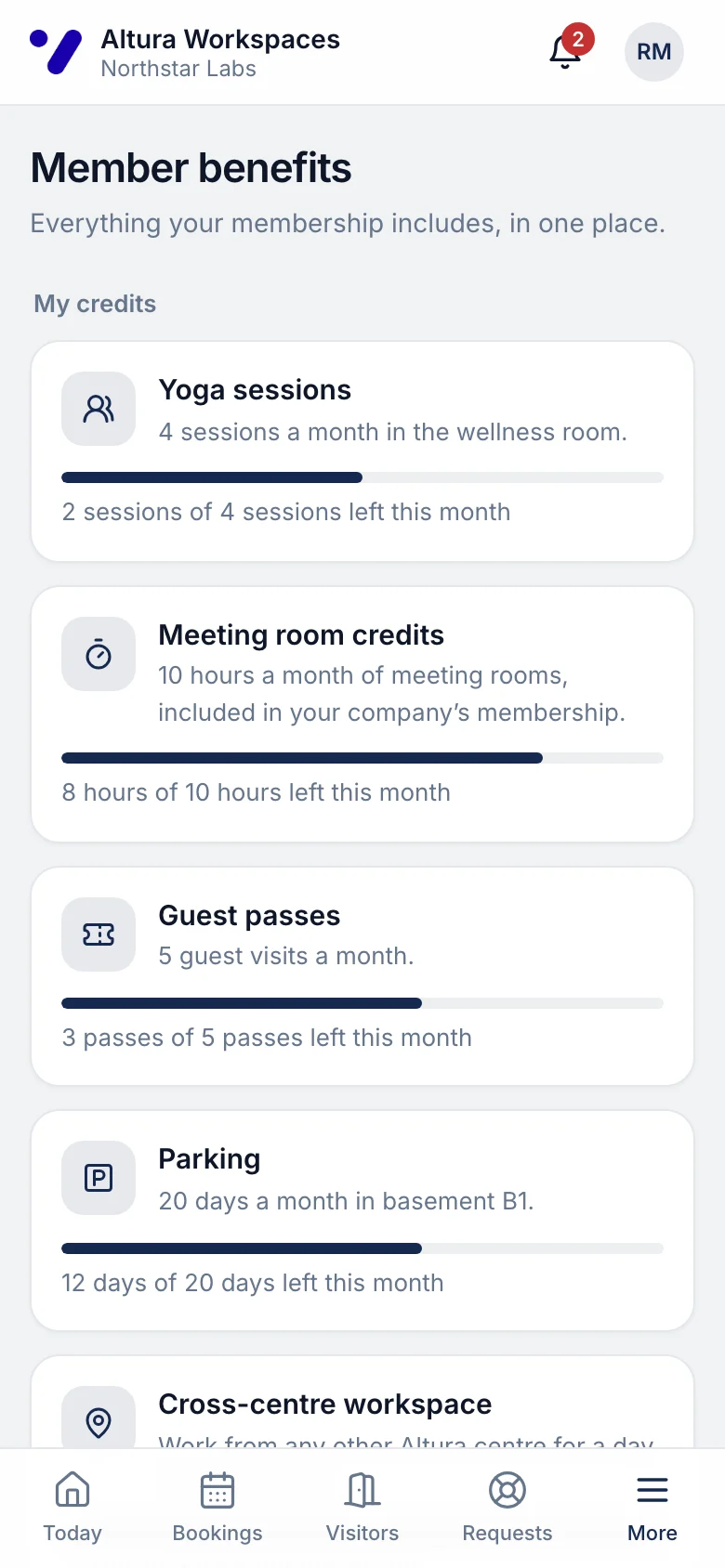
Meeting-room hours, guest passes, gym, classes, parking, a day at another centre and partner offers, with what's left this month. Members redeem in the app or show a code.
  • One place for every benefit, not five different apps
  • Allowances that count themselves
How member benefits work
app.rivonos.com
Member benefits on a phone: meeting-room hours, yoga sessions, guest passes and parking left this month

Events

Know what's on, and save a place.

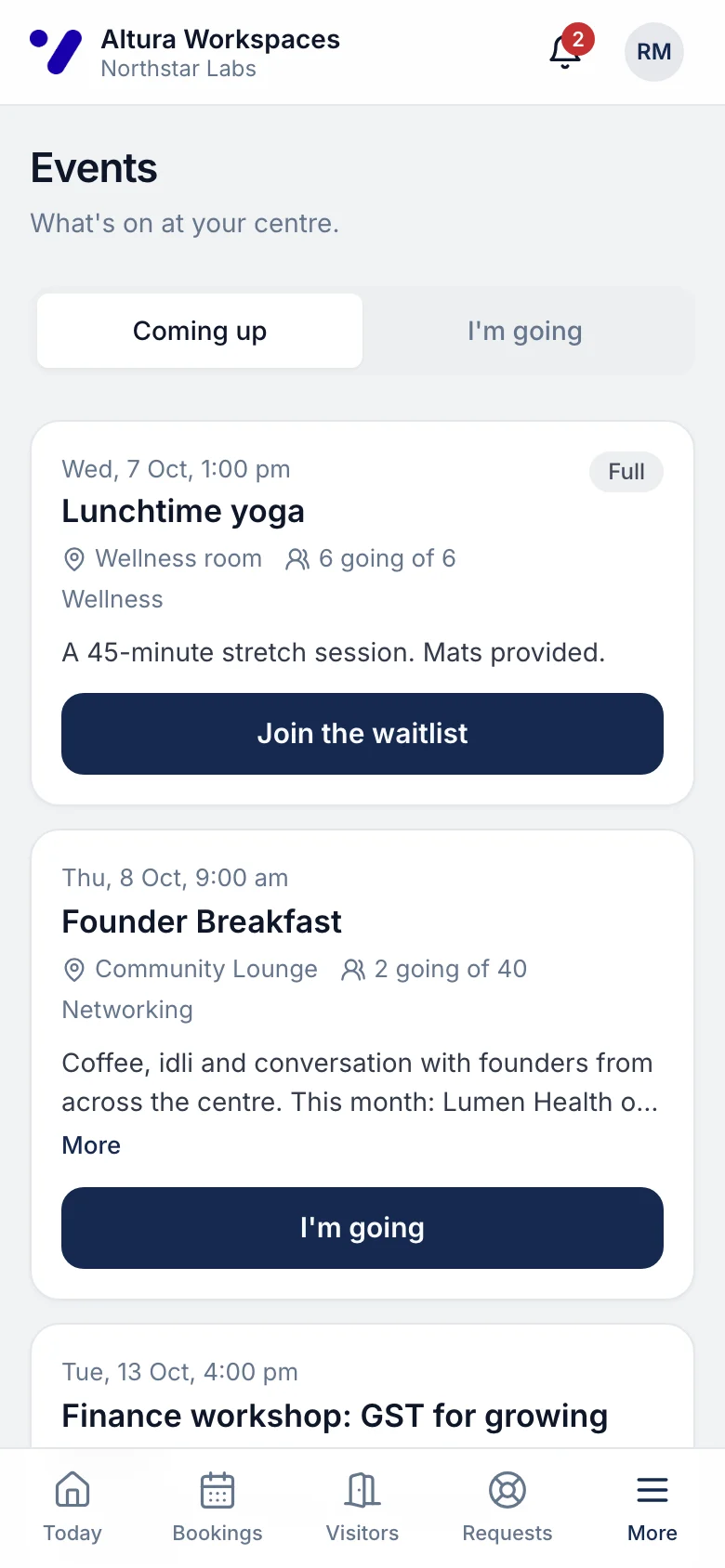
Breakfasts, workshops, yoga, networking evenings. Members see what's coming up at their centre and across your network, and say they're going. When an event is full they join the waitlist, and get the next free place automatically.
app.rivonos.com
Upcoming events at the centre on a phone with RSVP

Packages

Know when a parcel is waiting.

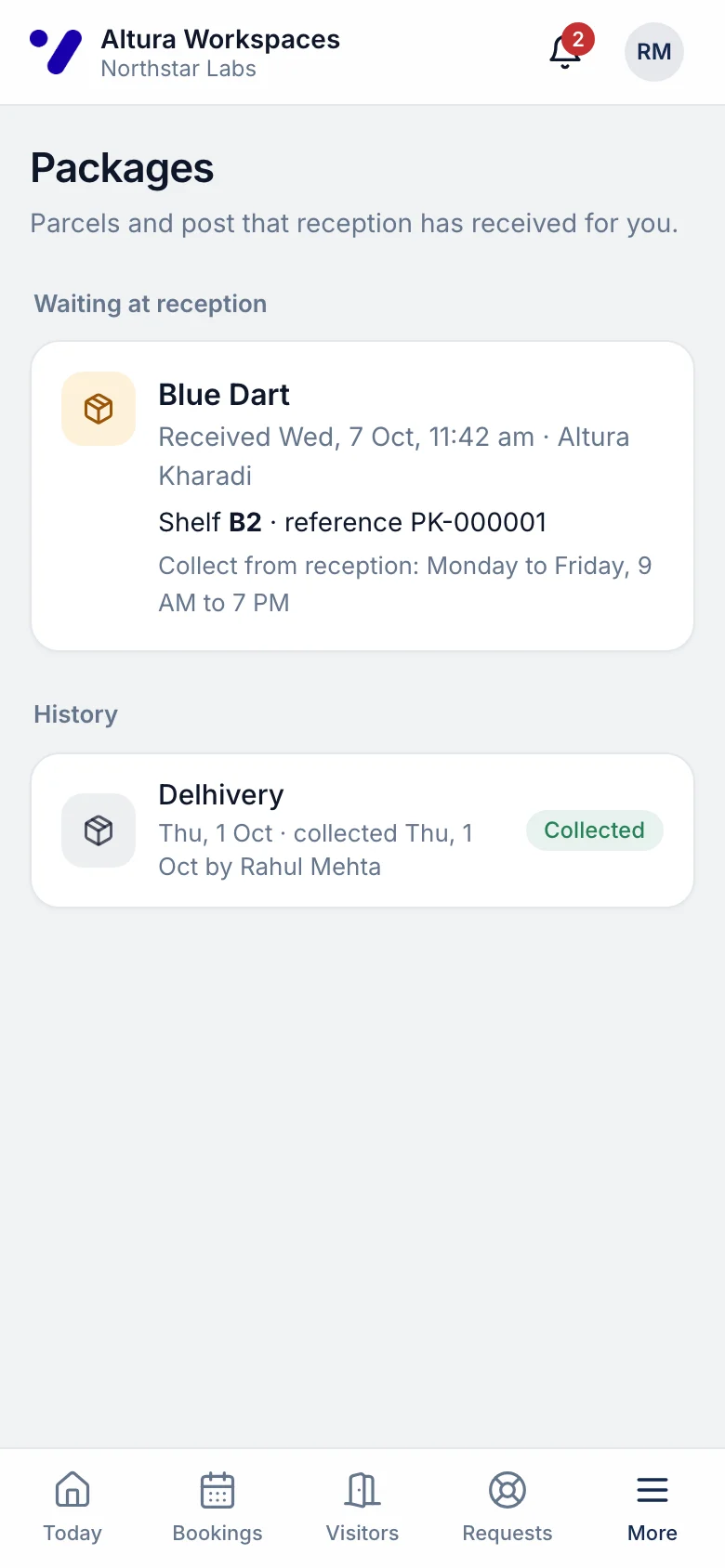
When reception logs a parcel, the member is told straight away: which courier, when it came and where to collect it. Their history keeps track of what they've picked up.
app.rivonos.com
A parcel waiting at reception, shown on a phone

Centre guide

Everything about their centre.

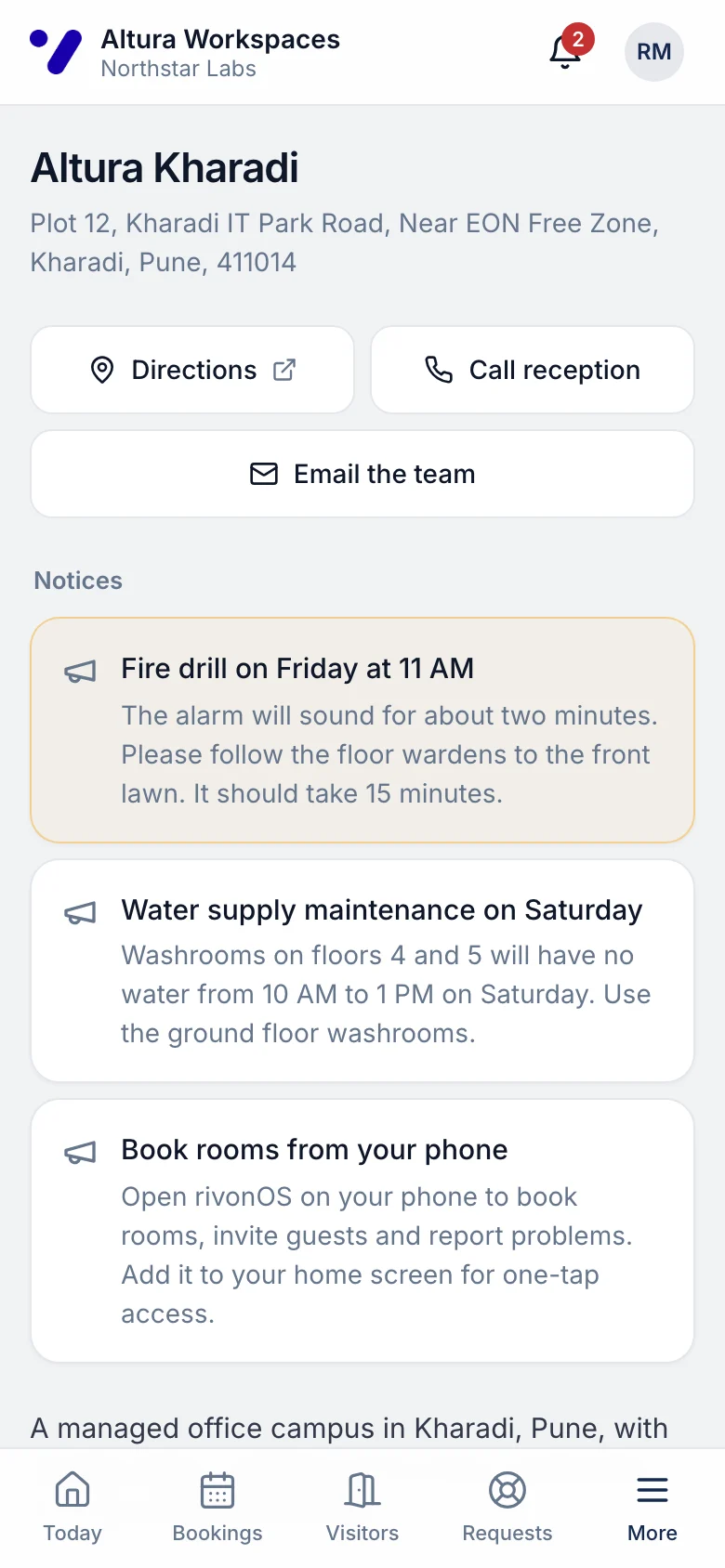
Directions, opening and reception hours, Wi-Fi details if you choose to share them, amenities, house rules, parking, what to do in an emergency and answers to common questions.
  • Call or email the centre in one tap
  • Notices from the centre team in the same place
app.rivonos.com
The centre guide on a phone: directions, hours, Wi-Fi and amenities

On any device. Nothing to install.

The member experience runs in the browser, built for phones first and comfortable on a laptop. Members open a link, sign in once and can add it to their home screen. There’s no app-store listing to manage and no update to chase.

Company admins at your clients can request access for new employees and remove people who leave, so your team isn't doing it by email.

What your centre team sees

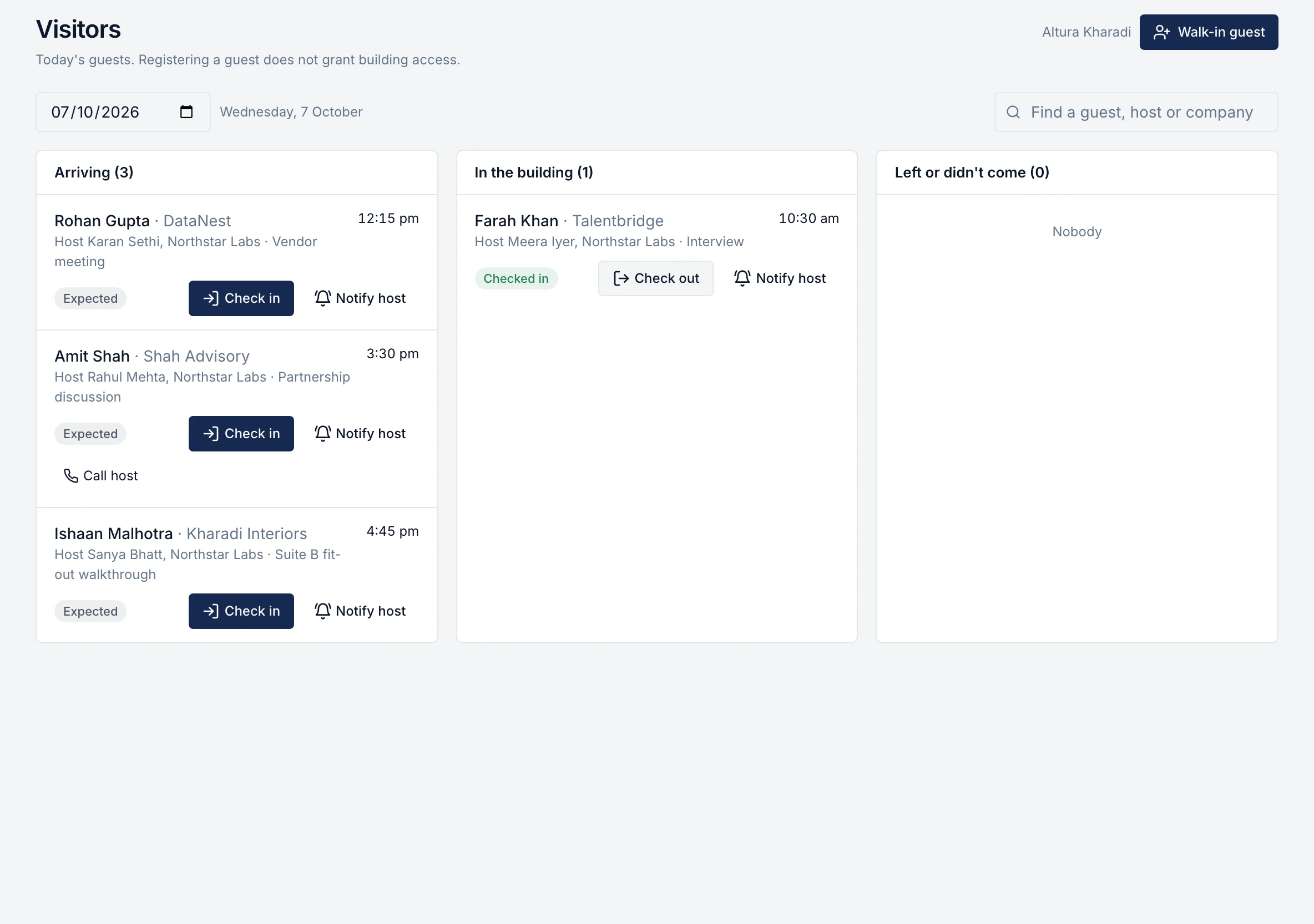
Every booking, guest and request a member makes appears in the community console, in the right list, with the button that deals with it.

Reception desk: guests arriving, in the building and done, with check-in buttons
Community operations

Questions about the member experience

Is this a native app?
No. It's a web app that works in the browser on any phone, tablet or laptop. Members can add it to their home screen in one tap. There's nothing to download from an app store and nothing for you to publish.
Who can use it?
Employees of your client companies, invited by your centre team or requested by their own company admin. Each member sees only their own bookings, guests, requests and parcels.
Can members see their company's contract or invoices?
No. Members never see commercial terms. A company's primary contact and finance team have a separate view with agreements, invoices and statements.
Does inviting a guest open the door for them?
No. It tells reception who to expect and tells the host when the guest arrives. Door access stays with your building system.
Do members get notifications?
Yes, in the app and by email, for bookings, guests, requests, parcels and events. Members choose which emails they want.

See the member experience on your own centre.

One hour with the people who built it, using your own centres. If rivonOS isn't the right fit, we'll tell you.