TDS on virtual office services: which section applies?

The short answer
It depends on what the virtual office agreement gives you. A pure virtual office (a business address, GST registration address, mail and courier handling and call answering, with no right to use a desk or cabin) is arguably not rent, because you are not paying for the use of a building or furniture in the usual sense. Many clients treat it as a payment for work (contractor payments, old section 194C, now section 393(1) of the Income-tax Act, 2025), and some as fees for services. A bundle with regular use of a desk or meeting room moves closer to rent: 10% under section 393(1), Table serial 2(ii)(b) (old section 194-I). Many virtual office fees are small, so they often fall below the threshold and no TDS is due at all. Where TDS does apply, it is worked out on the fee without the GST shown separately. Check your own agreement with your Chartered Accountant.
Who this guide is for
This guide is for the client paying a coworking or business centre for a virtual office (a business address, GST registration address, mail and courier handling, call answering, perhaps a few meeting-room hours), and for the operator receiving that payment.
It builds on our main guide, TDS on coworking and managed office fees, which covers seats, cabins and managed offices and explains the section numbers in full. Read it first if you have not.
In short: there is no single section for every virtual office, many fees are below the threshold so no TDS is due, and where TDS applies it is on the fee without the GST.
Rent, work or fees: the competing views
The case against rent. Under the 1961 Act, "rent" meant any payment "under any lease, sub-lease, tenancy or any other agreement or arrangement for the use of" land, a building, plant, machinery, equipment, furniture or fittings (Explanation to section 194-I). A pure virtual office lets the client name the centre as its address and have its mail received there. The client does not sit in the building or use the furniture. In the usual sense, that is not the use of a building, so a rent treatment is hard to support. Using the centre's address for GST registration does not by itself give the client the use of the space. But read the agreement: if it gives a right to use a desk or a room, the rent view gets stronger.
The case for a payment for work. Receiving mail, forwarding couriers and answering calls are routine tasks done for the client. Many deductors treat this as a payment for work under the contractor payments entry (section 194C under the old Act), much as tribunals have treated separately billed common area maintenance as work rather than rent. This entry is written for contracts for work, so for your arrangement a tax adviser may prefer a different view.
The case for fees for services. Some clients treat a virtual office as business support services and deduct under the fees for technical or professional services entries (section 194J under the old Act). Those entries are about managerial, technical, consultancy or professional services. Mail handling and call answering do not usually need that expertise, so this view is weaker, though common.
Bundles move closer to rent. The main guide's hotel-room test helps here. The CBDT has said that rooms taken "on a regular basis", earmarked for a set rate and period, are rent, while a simple rate contract is "occasional or casual" use (Circular 715, question 20, and Circular 5/2002). Meeting-room hours booked when needed look occasional. A desk or cabin set aside every month looks like rent.
How the factors usually point:
| What the agreement gives | How it is often treated | Why |
|---|---|---|
| Address, GST registration address, mail and courier handling, call answering | Payment for work, sometimes fees for services | No use of a building or furniture; routine services |
| The above plus a few meeting-room hours a month, booked when needed | Arguable; often still treated as work or services | Closer to occasional use under a rate contract |
| The above plus a dedicated desk or cabin for the term | Closer to rent, building and furniture | Specific space earmarked for a set period |
The client decides the section and carries the risk of deducting too little. If the arrangement is unclear or the amounts are large, take professional advice.
Sections, rates and thresholds
The Income-tax Act, 2025 replaced the Income-tax Act, 1961 from 1 April 2026. TDS now sits in one table in section 393(1). Amounts paid or credited up to 31 March 2026 follow the old Act. The entries that can apply:
| Payment | Old Act (1961) | Income-tax Act, 2025 | Rate | Threshold |
|---|---|---|---|---|
| Payments for work (contracts) | Section 194C | Section 393(1), contractor payments entry | 1% or 2% | Per contract and yearly limits, as set out in the Act |
| Fees for technical services | Section 194J | Section 393(1), Table serial 6(iii)(a) | 2% | ₹50,000 |
| Fees for professional services | Section 194J | Section 393(1), Table serial 6(iii)(b) | 10% | ₹50,000 |
| Rent for land, building, furniture or fittings, paid by a specified person | Section 194-I(b) | Section 393(1), Table serial 2(ii)(b) | 10% | More than ₹50,000 for a month or part of a month |
| Rent paid by a person who is not a specified person | Section 194-IB | Section 393(1), Table serial 2(i) | 2% | More than ₹50,000 for a month or part of a month |
Contractor payments. Under the 1961 Act, section 194C applied at 1% when the payee was an individual or HUF and 2% for any other payee, such as a company, once a single payment was more than ₹30,000 or the payments in a year were more than ₹1,00,000. The Income-tax Act, 2025 moved this into the contractor payments entry of section 393(1). Check the current rate and limits there before you rely on these figures.
Fees for services. The ₹50,000 threshold applies to the total paid to one payee in a financial year. It was ₹30,000 before 1 April 2025.
When no TDS is due: worked examples
Most virtual offices cost a few thousand rupees a month. These round-figure examples show how the section chosen decides whether any TDS is due.
Example 1: a pure virtual office. A small company pays ₹24,000 a year for an address, GST registration address and mail handling, plus GST at 18% shown separately.
| Amount | |
|---|---|
| Fee (taxable value) | ₹24,000 |
| GST at 18% | ₹4,320 |
| Invoice total | ₹28,320 |
- Treated as fees for services: ₹24,000 is below ₹50,000. No TDS is due.
- Treated as rent: the fee is ₹2,000 a month, well below ₹50,000 for a month. No TDS is due. If a year's fee is invoiced and paid in advance in one amount, ask your adviser how the monthly threshold applies.
- Treated as a payment for work: on the 1961 Act limits (₹30,000 for a single payment, ₹1,00,000 in a year), ₹24,000 a year is below both, so no TDS is due. Check the current limits.
Example 2: a bundle with meeting rooms. A company pays ₹12,000 a month for a virtual office with call answering and ten meeting-room hours a month: ₹1,44,000 a year, plus GST.
- Treated as rent: ₹12,000 a month is below ₹50,000 for a month. No TDS is due.
- Treated as fees for services: ₹1,44,000 is above ₹50,000, so TDS would be due, at 2% or 10% depending on the entry.
- Treated as a payment for work: on the 1961 Act limits, ₹1,44,000 is above the ₹1,00,000 yearly limit, so TDS would be due, at 2% if the operator is a company.
The same agreement can mean no TDS under one view and TDS under another. So the client should decide the section once, write down why, and apply it consistently.
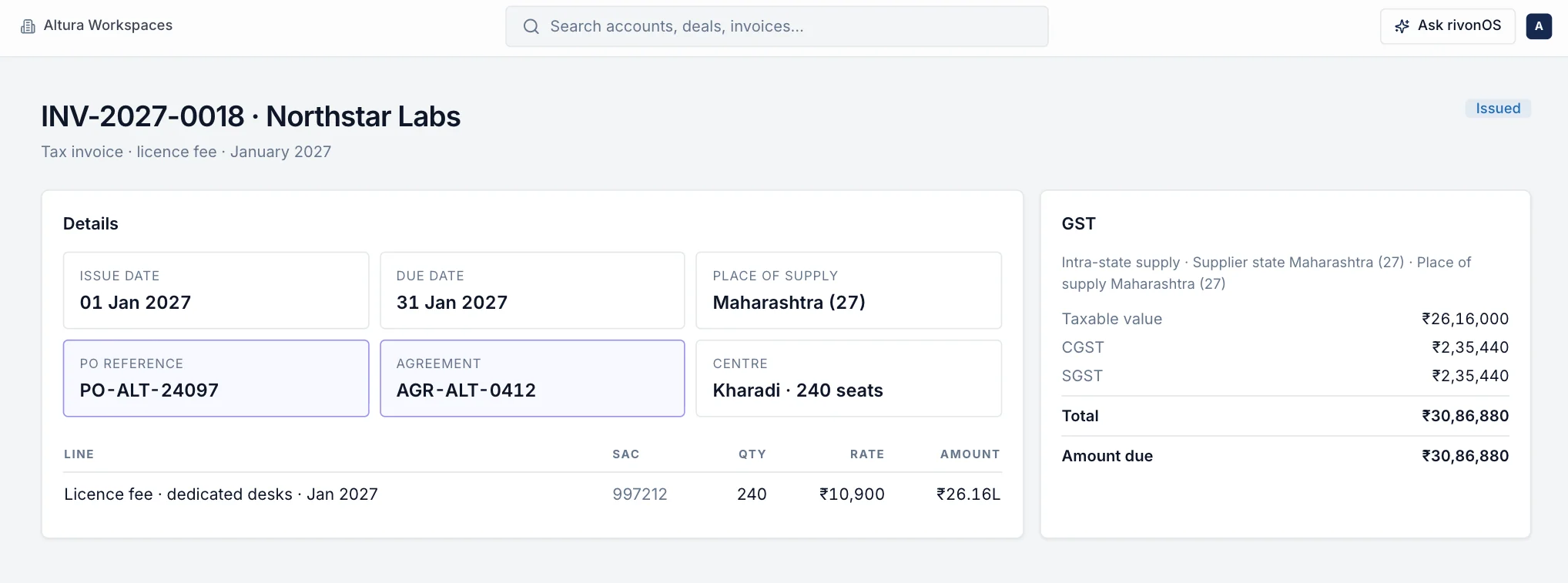
Real rivonOS screens with illustrative data: Altura Workspaces and Northstar Labs are fictional.
Where no TDS is due, the client pays the full invoice and the operator should expect no TDS entry for that client.
To work out the GST split and the TDS on the fee alone for any invoice, use the free TDS and GST calculator.
Who has to deduct
For rent, a specified person (any person other than an individual or Hindu undivided family, and an individual or HUF whose business turnover was above ₹1 crore, or professional receipts above ₹50 lakh, in the previous year) deducts at 10% for a building with furniture and fittings; other payers fall under Table serial 2(i).
For the contractor payments and fees for services entries, under the 1961 Act an individual or HUF generally had to deduct only if its business or professional receipts were above the tax audit limits in the previous year. Check how the Income-tax Act, 2025 states this. In practice, almost every company, LLP or firm has to consider TDS; a freelancer or very small proprietor may not. If unsure, ask your Chartered Accountant.
No TDS on the GST shown separately
CBDT Circular 23/2017 (19 July 2017) says that where the GST on services is "indicated separately" under the agreement, tax is to be deducted at source on the amount "without including such GST on services".
So the operator should show GST separately on every invoice, as a GST tax invoice under CGST Rule 46 does anyway, and the client should deduct on the fee alone. TDS on the GST-inclusive total holds up the operator's cash until it claims the extra back in its return. For GST on these services, see the GST guide for coworking and managed offices.
What operators should put on the invoice and agreement
Your client decides the section, but you can make its decision easy:
- Describe what you provide, for example "Virtual office at Kharadi, Pune: business address, GST registration address, mail and courier handling, call answering". Do not call it a workspace licence if no workspace is given.
- Put each service on its own line. Bill meeting-room hours, day passes or a desk separately, so the client can treat each part correctly.
- Tell clients in writing which section most of your other virtual office clients use.
- Keep the GST registration paperwork straight. If the client registers your address for GST, the consent letter, agreement and ownership documents matter, and the officer can verify the premises. See using a coworking or virtual office address for GST registration.
Reconciliation with Form 26AS
When a client deducts, it deposits the TDS, files a quarterly TDS statement and gives you a certificate. From the 2026-27 tax year, the certificate is Form 131 and the annual tax statement that was Form 26AS is Form 168.
- Record the TDS on each receipt, against its invoice.
- Each quarter, download your annual tax statement and the AIS from the income tax portal, and match by the client's TAN, quarter and amount.
- Chase every difference: a wrong PAN, a statement not yet filed, TDS on the GST, or a different section.
If the client deducts under a different section. This is common with virtual offices. The client carries the risk of choosing the section. What matters most to you is that the right amount is deducted, deposited against your PAN and shown in your statement. TDS is credited against your PAN, so a deduction reported under a different section still usually counts towards your tax once it shows in your statement. Ask for a correction if the amount or rate is wrong. If the rate is higher than you expect, or you think the amount is below the threshold, raise it with the client in writing before its quarterly statement is filed; otherwise the extra is held up until you claim it in your return.
Treat TDS that never shows up in your statement as an open balance on the client's account.
How rivonOS handles this
Questions people ask
I have taken a virtual office. Do I need to deduct TDS?
Only if you have to deduct TDS at all and the fee is above the threshold for the section that applies. Many virtual office fees are below it, and then no TDS is due. If TDS is due, it is on the fee without the GST (CBDT Circular 23/2017).
In which section is TDS deducted on a virtual office?
There is no single answer. For a pure virtual office, many clients use the contractor payments entry in section 393(1) of the Income-tax Act, 2025 (old section 194C); some use fees for services. Regular use of a desk or cabin is closer to rent: Table serial 2(ii)(b) (old section 194-I).
What should the operator do if the client deducts under a section it disagrees with?
Check the amount and that it shows in your statement against your PAN, and raise any doubt in writing. Take professional advice if the amounts are large.
Sources
Checked on 16 November 2026.
- Income-tax Act, 2025, section 393 on the Income Tax Department website, and the text of the section 393(1) Table as published by Indian Kanoon.
- Income Tax Department, FAQs on TDS on rent.
- CBDT Circular 23/2017, 19 July 2017 (no TDS on GST shown separately), copy hosted by ITATonline.
- CBDT Circular 715, 8 August 1995 (question 20) and Circular 5/2002, 30 July 2002, on hotel rooms taken on a regular basis.
- Income Tax Department, Form 168 (earlier Form 26AS) and Form 16 and Form 16A.
- Income Tax Appellate Tribunal, Delhi, on common area maintenance charges under section 194C, as reported by Taxscan.
Changes to this guide: first draft, 16 November 2026.
To see how rivonOS records receipts and TDS for every kind of client, book a demo.